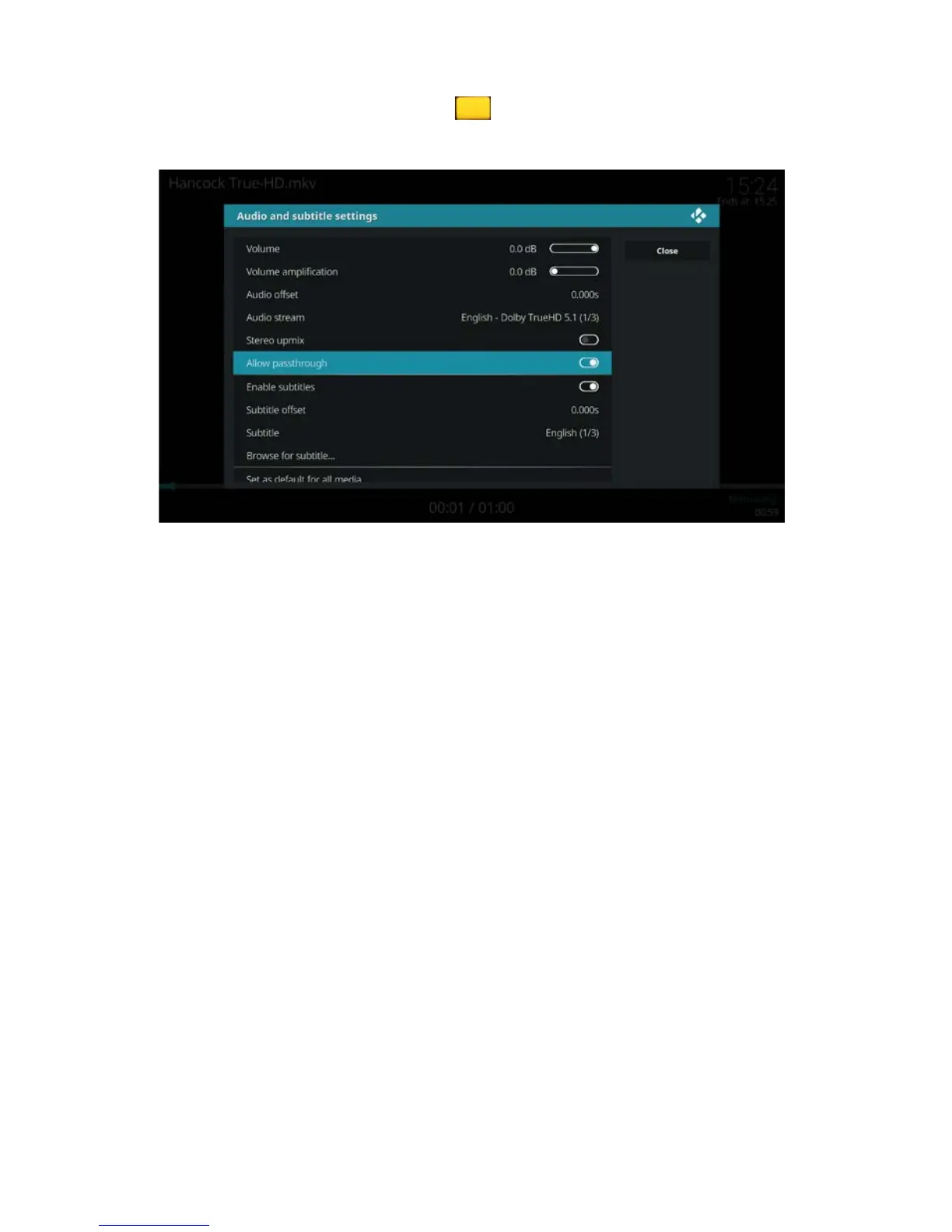
4. Once the movie is playing press the button on your remote control. The
following screen appears:
5. Make sure “Enable subtitles” is enabled.
6. Use the navigation keys to go to “Subtitle” and select your desired subtitle
stream.
7. Use the navigation keys to go to “Audio stream” and select your desired audio
stream.
9.1 Download and add subtitles
The EM7680 uses third party add-on Opensubtitles.org to download and add subtitles
when it is not build in your movie file.
Opensubtitles.org have recently decided to make their service only available to
registered users, registered on the official website from Opensubtitles.org. If you have
not yet made an Opensubtitle.org account you will receive the following error when
searching for subtitles:
“Error searching for subtitles your opensubtitles.org username or password is empty
or not valid"
To fix this problem type in the following address to make a free account:
http://www.opensubtitles.org/en/newuser
You will see the following page:



 To Next Page