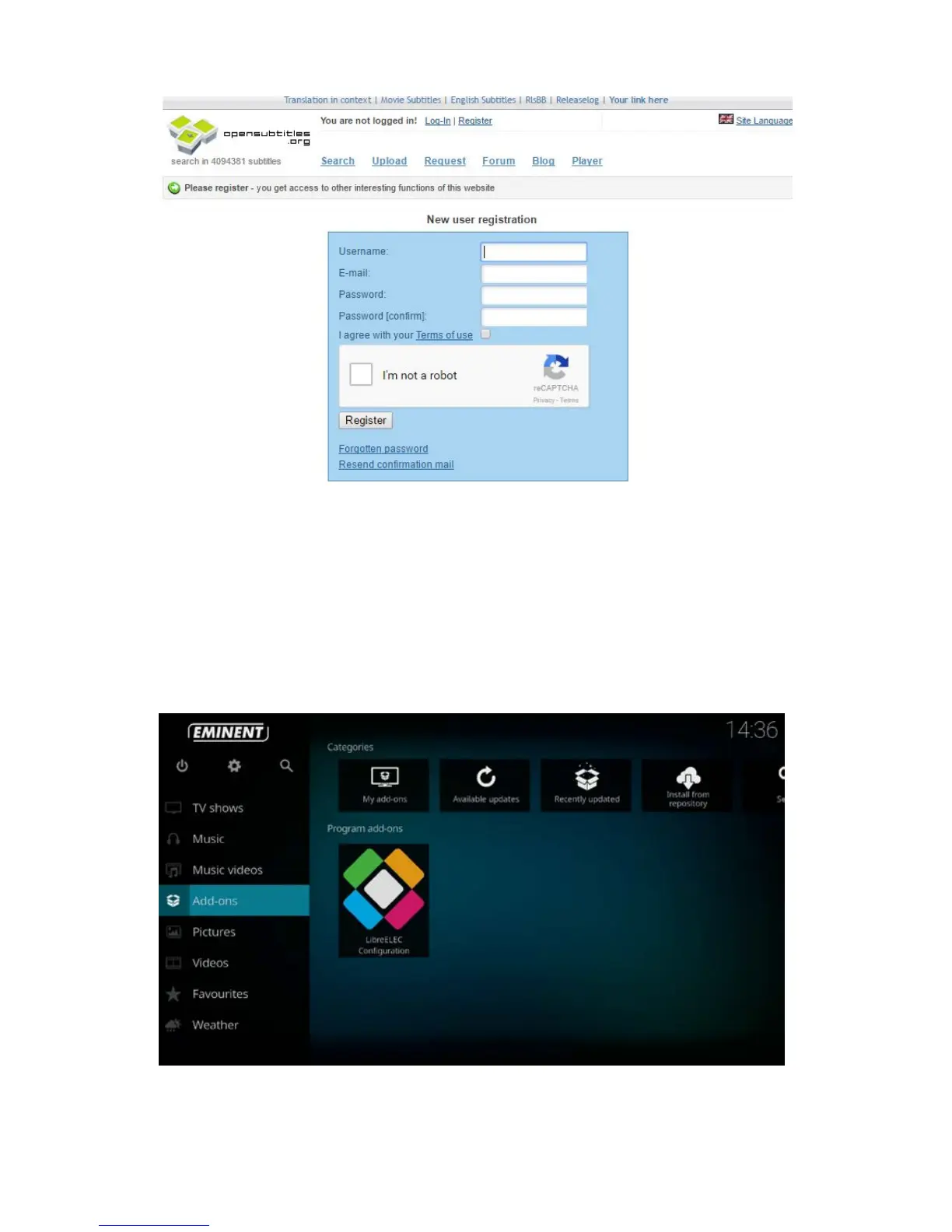
1. Fill out your desired username, email address and password.
2. Once you have filled out your desired credentials, you must tick “I’m not a robot”
and click on the button “Register”.
3. You will now receive a confirmation mail with an activation link. Click on the link to
active your Opensubtitle.org account.
Once you have made an Opensubtitle.org account you will have to add your
credentials to the Opensubtitle.org add-on in Kodi. See below instructions:
1. Select with the navigation buttons “Add-ons” and press “My Add-ons”. The
following screen will appear:



 To Next Page