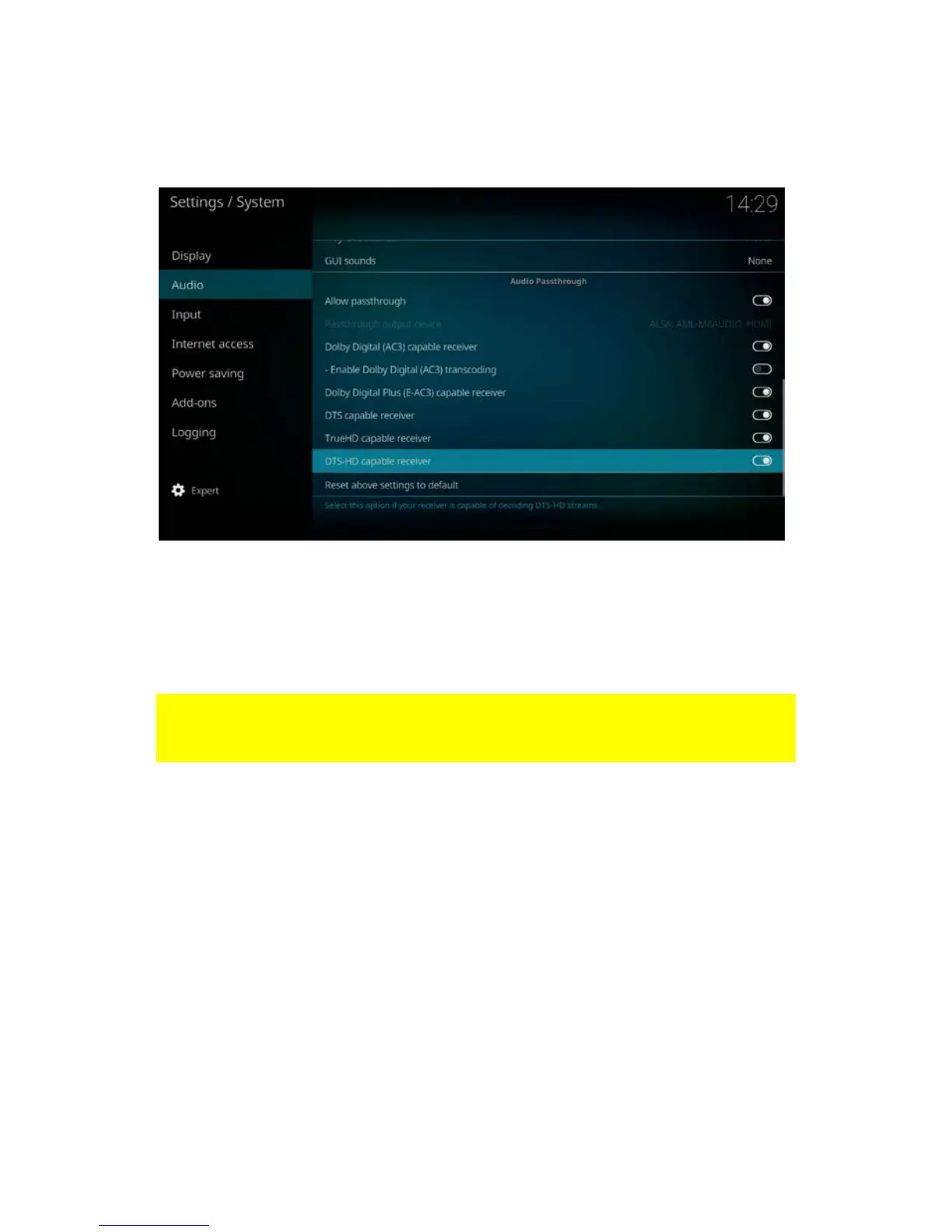
8. Notice: only enable TrueHD and DTS-HD when you have connected the EM7680
via HDMI. When you want to passthrough audio via optical cable then do not
enable True-HD capable receiver” and “DTS-HD receiver”.
8.0 Stream your media files
8.1 Stream your media through Windows
In the following steps we will describe how to stream your videos through Windows.
Be aware that these descriptions will be the same if you want to stream “Music” or
“Pictures”
1. Please make sure your TV streamer is powered on and connected to your home
network if you want to stream media from your Windows PC or laptop.
2. Once the TV streamer has booted, the home screen appears:



 To Next Page