DigitalTachometer
SET
ERM-3770
P
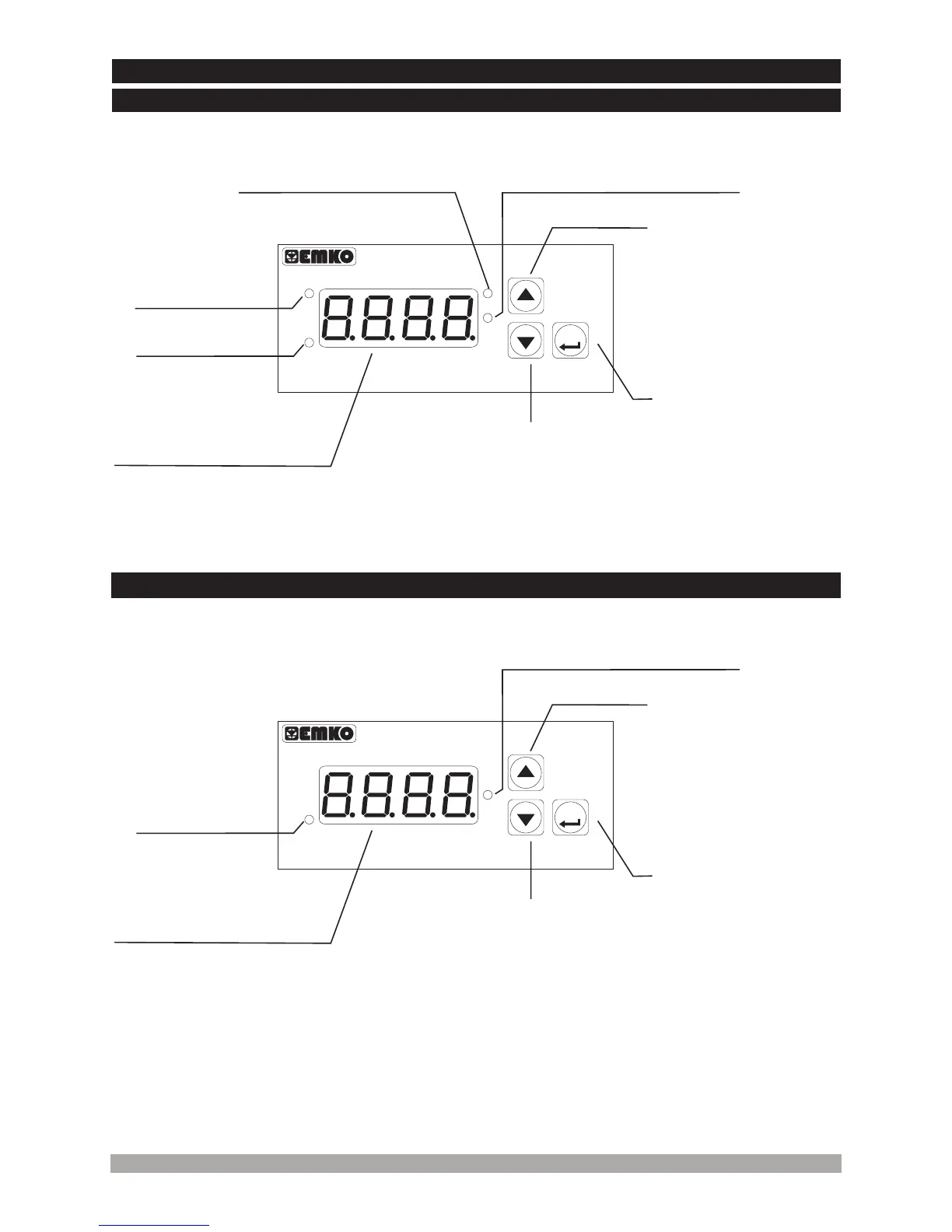
OP
SIG
SV
DisplayProcessValue,
ProcessSetValueand
Parameters
Itisusedtoenterto
theProcessSetValue
ChangingMode,
ProgrammingMode
andusedasEnter
button
Itisusedtoincreasethe
valueinProcessSet
ValueChangingMode
andProgrammingMode.
Alsoinprogramming
modeItisusedtoaccess
totheparametervalues.
Itisusedtodecrease
thevalueand Alarm
CancellingButton
Note-1
Note-1
4.FrontPanelDefinitionand AccessingtotheMenus
AlarmOutput
ActiveLed
LedIndicationofProcessSetValue
ChangingModeis Active
LedIndicationofProgramming
Modeis Active
SignalLed
19
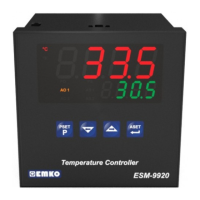
4.2FrontPanelDefinitionofERM-3770DigitalTachometerWithout AlarmOutput
4.1FrontPanelDefinitionofERM-3770DigitalTachometerWith AlarmOutput
Note-1: If increment or decrement button is pressed for 5 seconds continuously, increment and
decrement number become 10, if increment or decrement button is pressed for 10 seconds
continuously, increment and decrement number become 100, if increment or decrement button
is pressed for 15 seconds continuously, increment and decrement number become 1000.
DigitalTachometer
P
ERM-3770
P
SIG
DisplayProcessValue
andParameters
Itisusedtoenterto
theProgramming
Modeandusedas
Enterbutton
Itisusedtoincreasethe
valueinProgramming
Mode. Alsoin
programmingmodeItis
usedtoaccesstothe
parametervalues.
Itisusedtodecrease
thevalue.
Note-1
Note-1
LedIndicationofProgramming
Modeis Active
SignalLed


 To Next Page