20
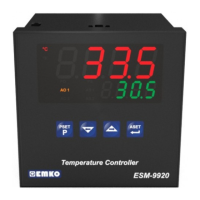
MainOperationScreen
ProcessSetValueScreen
Changetheprocesssetvalue
withincrementanddecrement
buttons.
PressSET buttonforsavingthe
processsetvalue
SVledlightsoffandmainoperation
screenisshown.
If no operation is performed in Process set value changing mode for 20 seconds,
device turns to main operation screen automatically.
i
4.4ChangingandSavingProcessSetValue
MainOperationScreen
ProcessSetValueScreen
WhenSET buttonispressed,SVLED
lightsonandprocesssetvalueis
shownonthedisplay.
SET
P
OP
SIG
SV
SET
P
OP
SIG
SV
SET
P
OP
SIG
SV
SET
P
OP
SIG
SV
Process Set Value changing mode is active, when the device exist Alarm output.
i
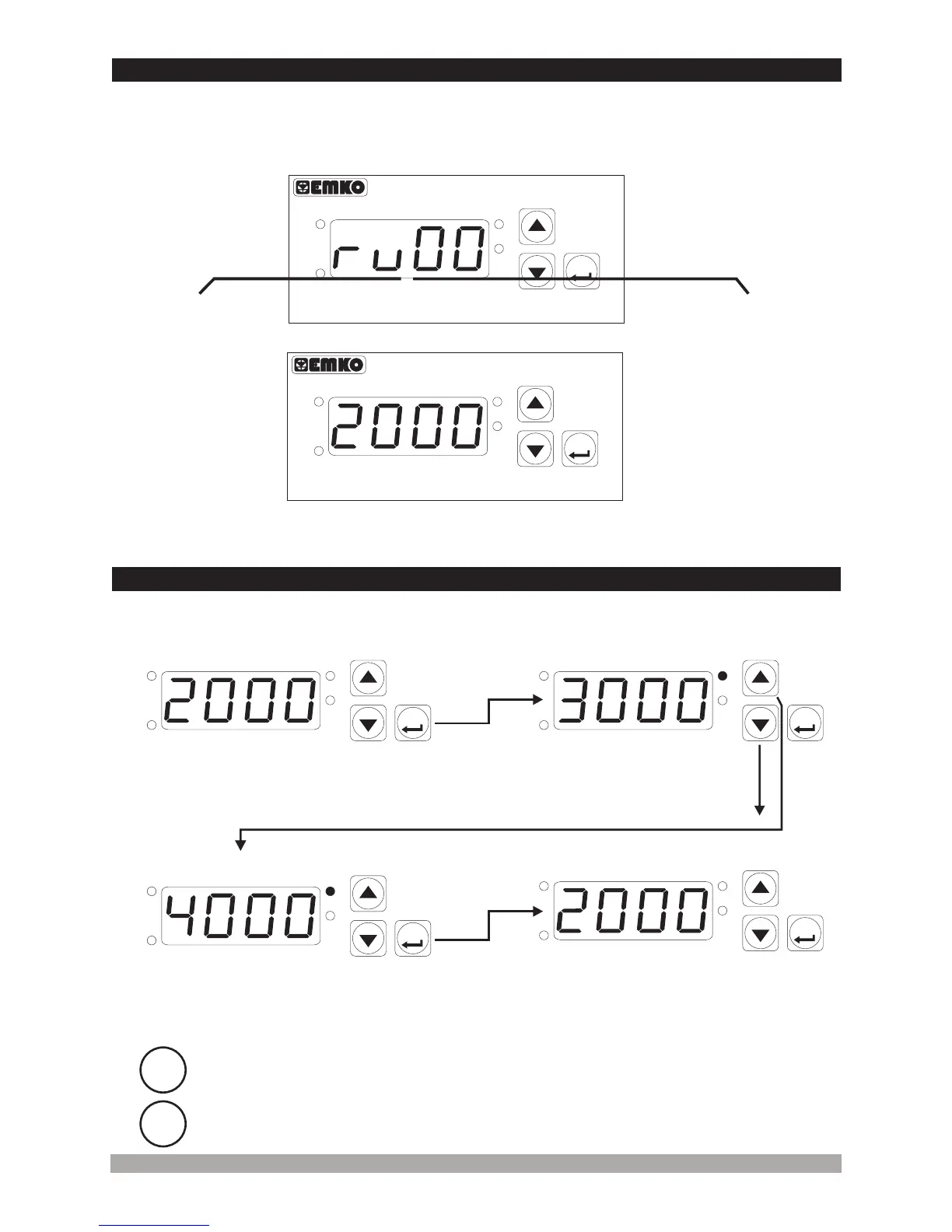
When power is first applied to the digital process indicator, software revision number is shown on
the display.
4.3ObservationofSoftwareRevisionontheDisplay
Software
revision
number
MainOperationScreenisshown
“rv” RevisionÞ
DigitalTachometer
SET
ERM-3770
P
OP
SIG
SV
DigitalTachometer
SET
ERM-3770
P
OP
SIG
SV


 To Next Page