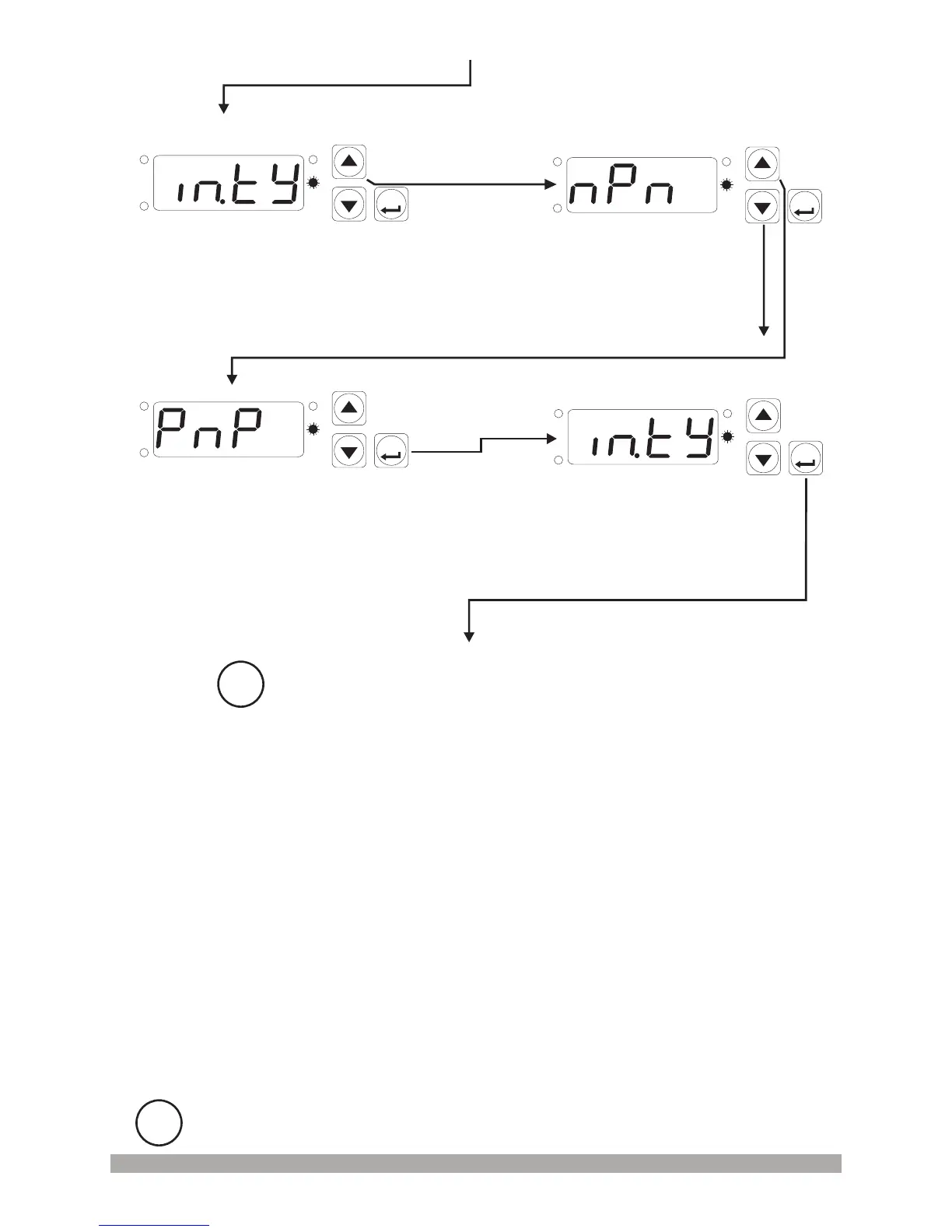
InputTypeSelection
Parameter
InputTypeSelectionValue
28
ProgrammingScreen
ProgrammingScreen
SET
P
OP
SIG
SV
SET
P
OP
SIG
SV
SET
P
OP
SIG
SV
SET
P
OP
SIG
SV
Press increment button for accessing to the
parameter value. Press Set/OK button for
accessing to the next parameter.
Changethevaluewithincrement
anddecrementbuttons.
InputTypeSelectionValue
PressSet/OKbuttonfor
savingtheparameter.
InputTypeSelection
Parameter
PressSet/OKbuttonfor
accessingtothenextparameter.
Other Programming mode parameters can be accessed
with the same method explained above, observed and
changed.
i
i
If no operation is performed in Programming mode for 20 seconds, device turns to
main operation screen automatically.


 To Next Page