© 2024 EMM Labs, All Rights Reserved. EMM Labs reserves the right to amend specifications & design without notice.
025
Network & Streaming
DA2i STEREO D/A CONVERTER OWNER’S MANUAL
Network & Streaming
mConnect Control App - Streaming Services (Qobuz, Tidal, Spotify, etc.)
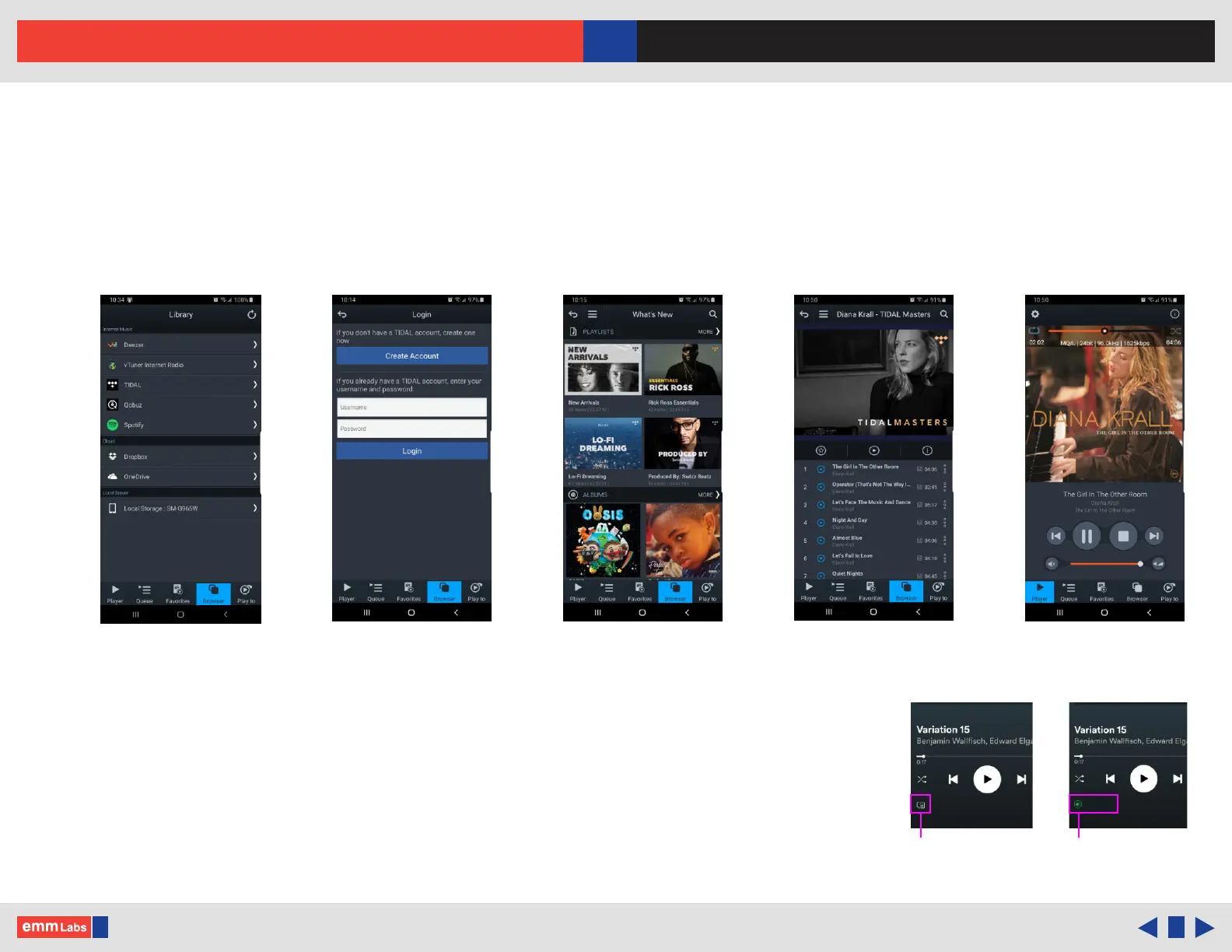
1. Use the mConnect Control/HD apps to access online streaming services.
Eg. select Tidal from the “Browser” page, login with your account.
2. Once logged in you can browse, search and playback les like normal.
3. Other streaming services like Qobuz, Deezer and the online storage services like
DropBox and OneDrive are accessed the same way using the mConnect app.
4. Spotify uses its own app to stream audio to the DA2i/DV2i. Within Spotify select
the “Connect to device” page and select the DA2i/DV2i from the list. See Spotify
eg. on the right.
Login to service Browse Search Play
Browser Page
EMM-DA2i
Spotify connect
to device
Connected to
DA2i
EMM-DA2i



 To Next Page