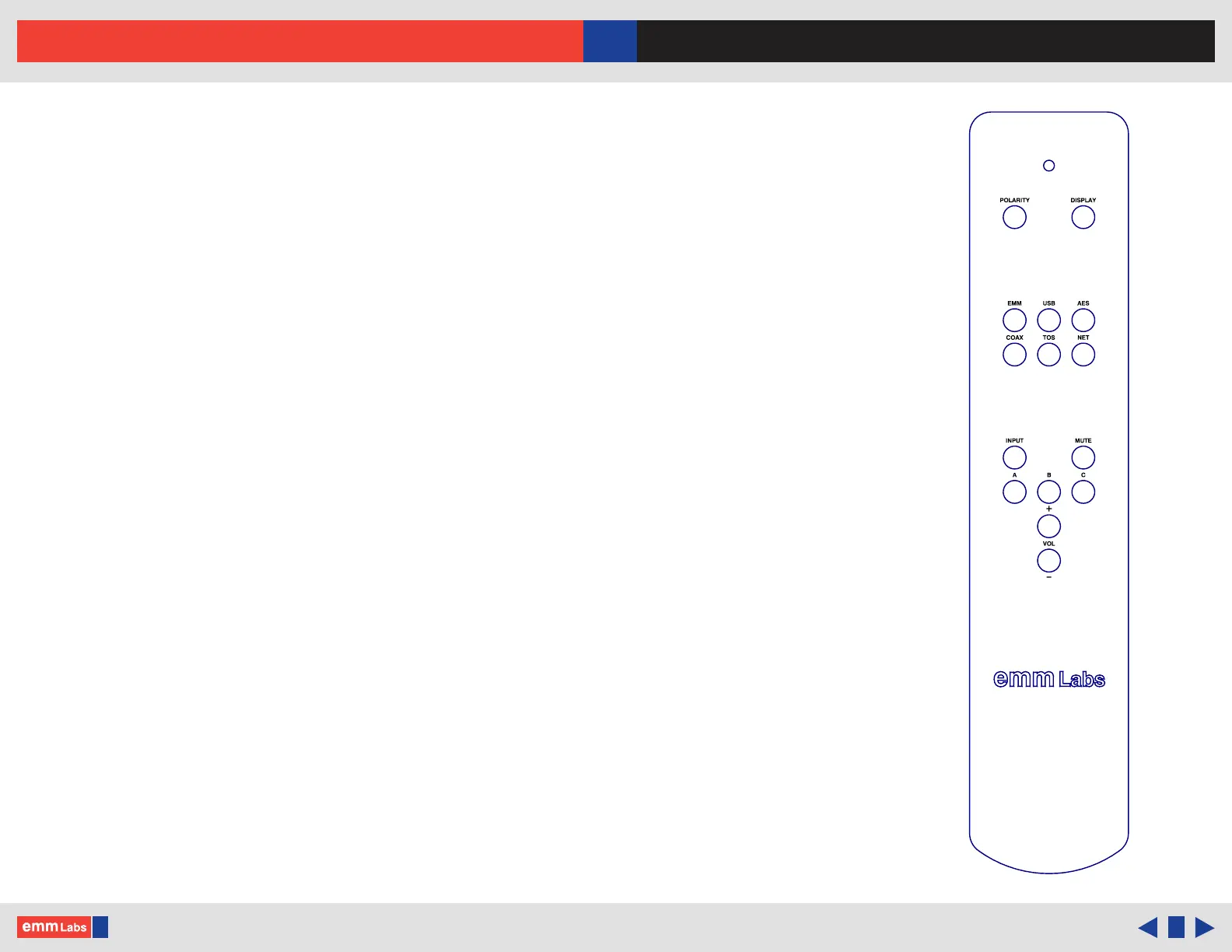
Infrared Remote Control
Polarity : Toggles the analog output polarity. is function is performed in the
digital domain. When engaged the display will show “POL INV” and
it will be highlighted
Display : Toggles the front panel display text brightness settings on the DA2i
Input Buttons :
• EMM : Selects the EMM Optilink input
• USB : Selects the USB Audio input
• AES : Selects the AES/EBU input, balanced digital XLR
• COAX : Selects SPDIF input, unbalanced COAX/RCA
• TOS : Selects SPDIF input, TOSLINK optical
• NET : Selects network input, RJ45
Input : Switches through all the digital inputs
Mute : Mutes or un-mutes the DA2i analog outputs
A/B/C (Presets) : Function unused in the DA2i
+/- (Volume) : Function unused in the DA2i
© 2024 EMM Labs, All Rights Reserved. EMM Labs reserves the right to amend specifications & design without notice.
030
Infrared Remote Control
DA2i STEREO D/A CONVERTER OWNER’S MANUAL



 To Next Page