© 2024 EMM Labs, All Rights Reserved. EMM Labs reserves the right to amend specifications & design without notice.
028
Network & Streaming
DA2i STEREO D/A CONVERTER OWNER’S MANUAL
Network & Streaming
mConnect Control App - Setup & Information (Cont’d)
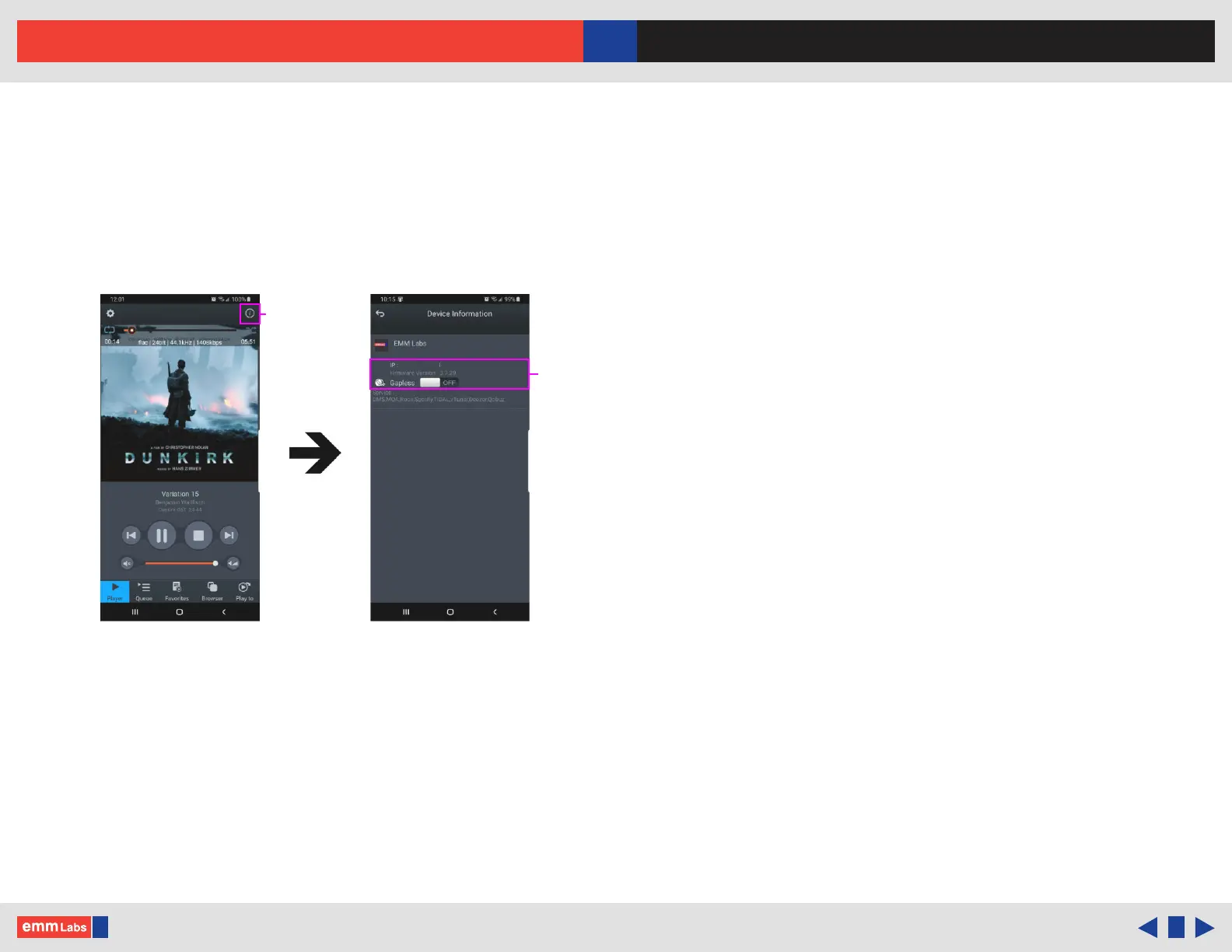
5. Selecting the info icon, top right side of player, shows device information
including IP address, rmware version and gap-less playback option.
6. Using the “Gapless” option button, you can turn gap-less playback on or o.
Default is on where there is no gap between tracks.
7. You can use this feature to quickly check that the mConnect Control/HD app is
connected to the EMM Labs DA2i/DV2i, and if the DA2i/DV2i is properly
connected to your network.
IP, rmware and
“Gapless” option
DA2i/DV2i
information
DA2i
192.xxx.xx.xxx
EMM-DA2i
Device setup
EMM-DA2i



 To Next Page