English
- 54 -
Chronothermostat with Humidistat User Manual
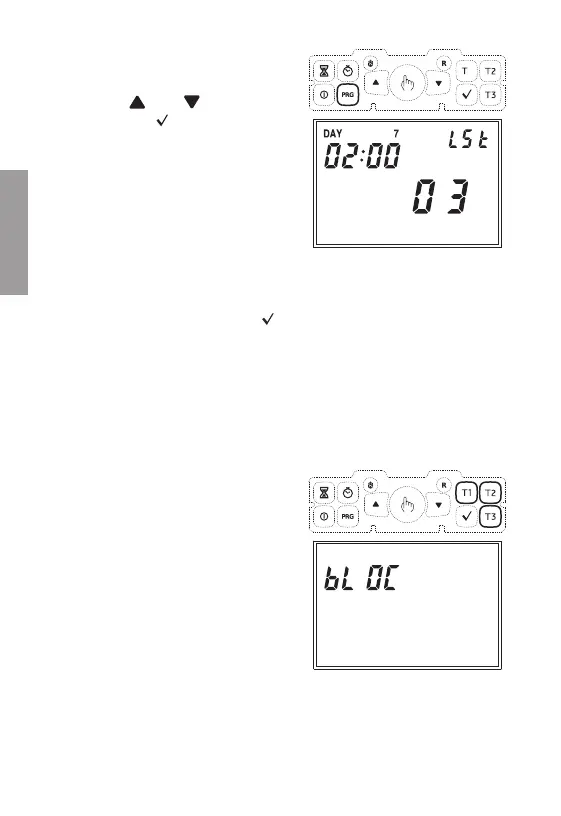
To modify the set values, press the
"PRG" key. The parameter corresponding
to the modification will start flashing.
Press the
“ ”
and
“ ”
keys to modify
the values and
“ ”
to confirm.
The settings for both menus are, in order:
-
week of the month
(1ST first, 2ND second, 3RD third,
4TH fourth, LST last)
-
day of the week
-
month
-
changing hour
At the end of each menu, press the
" "
key again to access
the next menu or to exit and return to the normal view.
The default values set for the automatic time change are:
-
winter change summer: last Sunday of March at 02:00
-
summer change winter: last Sunday of October at 03:00
Keypad lock
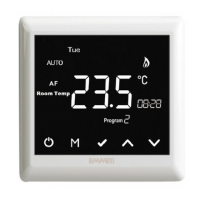
In case you want to install the instrument
in public environments, it is possible to
lock the keypad simply by simultaneously
holding the
T1
,
T2
and
T3
keys for 3
seconds. The display will show the writing
"BLOC".


 To Next Page