English
- 39 -
Chronothermostat with Humidistat User Manual
INITIAL START-UP / RESET
•
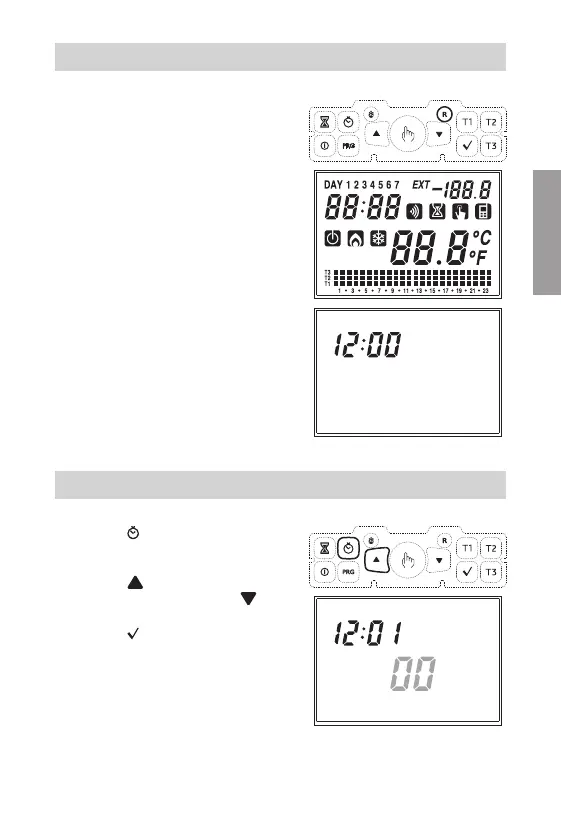
Insert the battery and press the "R" key
using a point.
All the display segments will turn on and
the relay will be activated for 3 seconds;
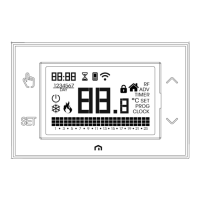
after this, the clock field (22) will start at
12:00 and will flash until the clock is set.
Attention
if the clock is not set,
the instrument
will not adjust; it will start doing
so only once the clock is set.
CLOCK SETTING
• Press the " " key; on field (16) seconds
will run flashing, while field (22) will
display digits for minutes and hours.
Press the "
" key to reset seconds and
increase the minute field by 1 or "
" to
reset the seconds field.
Press the "
" key to confirm.
(In case the setting of the clock takes
place after a reset, the "seconds" field
is not adjustable. Therefore, the first
parameter to set will be the "minutes"
field).


 To Next Page