6
Tap Mode
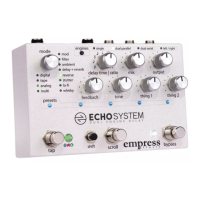
In Tap Mode the delay time is controlled by tapping the tap switch repeatedly to
a desired tempo. For tapped tempo accuracy the unit takes an average of
repeated taps.
In Tap Mode the d time | ratio knob acts as a ratio control in all sub-modes:
If the knob is set between 7 o’clock and 10 o’clock it is a 1:4 ratio. The delay
time will be four times as fast as the tempo tapped.
If the knob is set between 10 o’clock and 2 o’clock it is a 1:2 ratio. The delay
time will be twice as fast as the tempo tapped.
If the knob is set between 2 o’clock and 5 o’clock it is a 1:1 ratio. The delay
time will be the same as the tempo tapped.
Sub-mode A – Normal Tap
In sub-mode A the delay time is set to the tap time.
Sub-mode B – Triplet Tap
In sub-mode B the delay time is set to 1/3 of the tap time. If you tap quarter
notes the delay time will be eighth note triplets. Note that the d time | ratio
knob acts as a ratio knob in this mode.
Sub-mode C – Dotted Tap
In sub-mode C the delay time is set to 1.5 times the tap time. If you tap
quarter notes the delay time will be set to dotted quarter notes.


 To Next Page