11
Rhythm (Multi-Tap) Mode
By pressing the tap switch repeatedly you can input a rhythm of up to four
taps. This rhythm will be mimicked by the delay.
Sub-mode A – Ratio
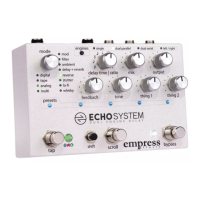
In sub-mode A the d time | ratio knob acts as a ratio control. Depending
where the d time | ratio knob points, the taps you’ve entered are
played back at the speed at which they were tapped, or either 2 or 4
times faster.
Sub-mode B – Scaling
In sub-mode B the d time | ratio knob allows you to scale the rhythm
you’ve entered. If you turn the d time | ratio knob clockwise after
a rhythm has been entered, the rhythm will be stretched and made
longer. If you turn the d time | ratio knob counter-clockwise, the
rhythm will be compressed and made shorter.
Note: If you stretch the rhythm to the point where one of the taps
exceeds the 2.8 second maximum delay time, that tap will no longer
be heard.
Sub-mode C – Dynamic Volume
Sub-mode C functions similar to sub-mode A with the exception that the
volumes of the repeats are varied. The first repeat is fairly quiet, and the
repeats get progressively louder.


 To Next Page