25
12.0 | Patient Compliance Timer continued
2. Cumulative treatment time:
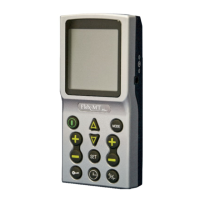
When initiating patient compliance timer, press “Mode” to shift the record of individual treatment
time with the number of sessions to the record of cumulative treatment time. When showing the
record of cumulative treatment time, there will be an “M” mark flashing on the screen.
Press and hold “Mode” & “Set” button simultaneously for 3 seconds to delete all the records includ-
ing individual treatment time recor
d and cumulative treatment time record.
e patient compliance timer will keep the records even when the battery has no charge.
Only when users press and hold “Set” or “Mode” & “Set”, the records will be deleted.
13.0 | Care and Maintenance
1. Low Battery Indicator:
When the low battery indicator ashes, the battery should be recharged as soon as possible.
2. Cleaning
Clean the housing by wiping with clean damp cloth only.
To avoid corrosion, do not immerse in water.
Do not store in direct sunlight or humid environments, i.e. Bathrooms.
3. Electrode Pad Disposal
Electrodes should not be used if they will no longer adhere rmly to the treatment area.
Electrodes are single-use, and should not be used by more than one patient.


 To Next Page