24
12.0 | Patient Compliance Timer
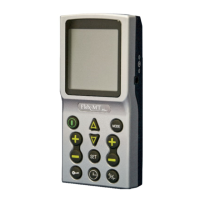
Press and hold “MODE” button, then press the “ON/OFF” button simultaneously to
initiate the patient compliance timer.
1. Individual treatment time:
Press “INCREASE” button (triangle button) or “DECREASE” button (inverted triangle button)
to scroll through the records of treatment times.
Press and hold “Set” button for 3 seconds to delete the displayed record. After the displayed record
is deleted, the unit will acknowledge with an audible response “Bi”.
NOTE:
(a) If the treatment time is under one min
ute, it will not be recorded. For example, if your treatment time
is 10 minutes and 30 seconds, the patient compliance timer will record 10 minutes, not 11 minutes.
use the stimulator for over 999 minutes, it will record 999 minutes and the recorded time will flash
to indicate the treatment time is over 999 minutes.


 To Next Page