13
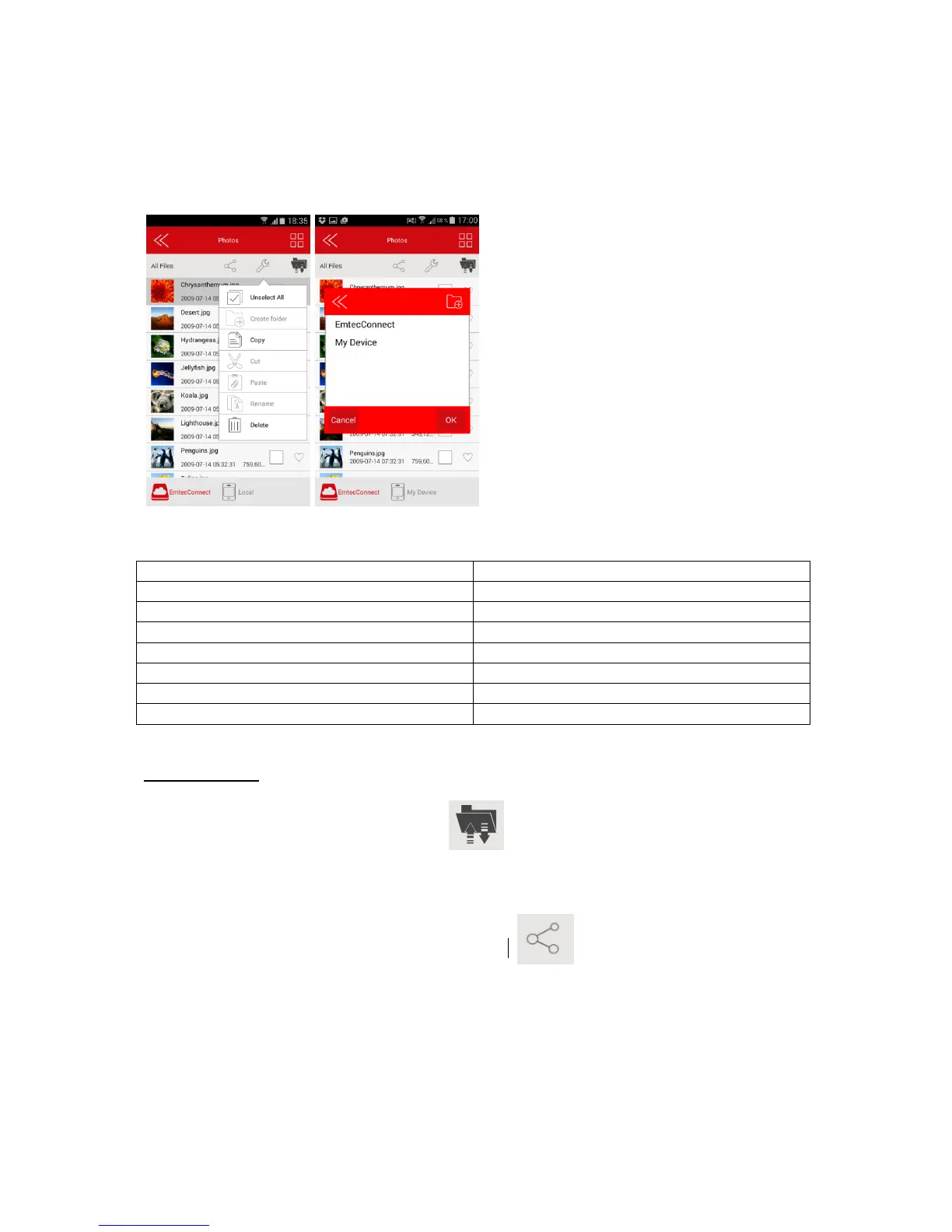
Select destination by clicking on “EmtecConnect" or "My Device".
Click on the action you want to do.
Then select the folder where you want to place the file.
Transfer Status:
Transfer status is available in the transfer tab.
3.9. Share files
Select the file(s) you want to share and click on the icon.
Then choose the action:
Facebook: Share on Facebook
Email: Send by email
Photos: Add the file in "camera" folder on your smartphone/ tablet (available in Explorer)
DLNA/ Digital Media Sharing: Share the file on your TV (available in gallery)
Favorites: add the file in “My Favorites” section.


 To Next Page