23
Host Name
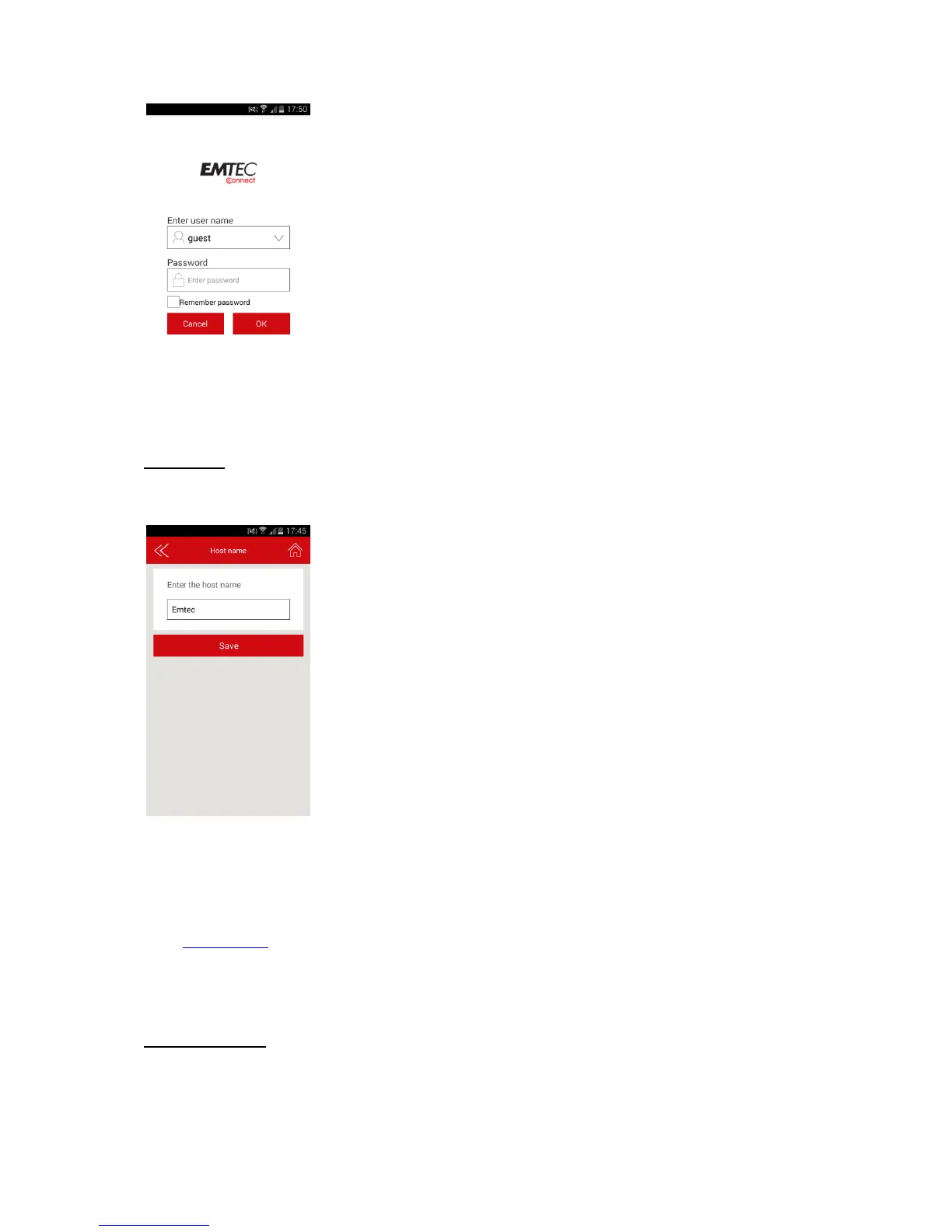
You can change the host name of the Wi-Fi HDD.
Host name will be used to access your Wi-Fi HDD via web browser (host name or IP address can be
used to access your Wi-Fi HDD via web browser).
Choose the new name and save.
Enter http://emtec (or replace emtec by the new host name you save) in the address bar of your web
browser to access your Wi-Fi HDD via the web browser.
Disk information
Indicates available capacity on your Wi-Fi HDD.


 To Next Page