www.encloscreens.com
7
ASSEMBLY INSTRUCTIONS EC18010
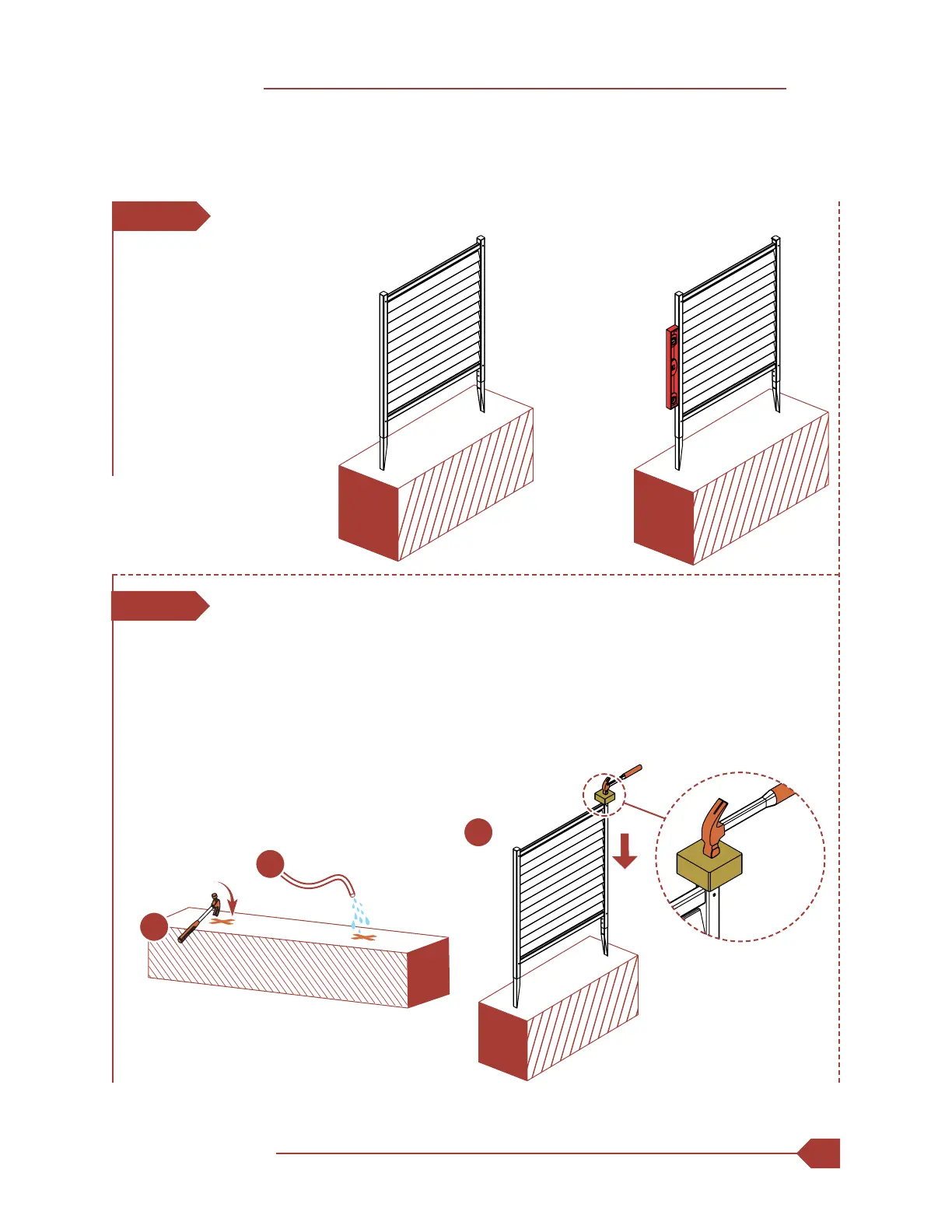
1. If your ground is too hard, loosen the top 6" or 7" of the ground with a claw
hammer as illustrated.
2. Add water to the loosened soil.
3. Use a block of wood to protect the top of the post and gently hammer the
post into the ground.
2
1
STEP 5: INSTALL PANELS IN THE GROUND
STEP 5.1
STEP 5.2
1. Move the screen to its nal
location, and identify the
location of the posts.
2. Attempt to push the unit
into the ground. All 10" of
the ground stakes should
go in the ground.
3. Ensure the unit is properly
leveled.
3



 To Next Page