19
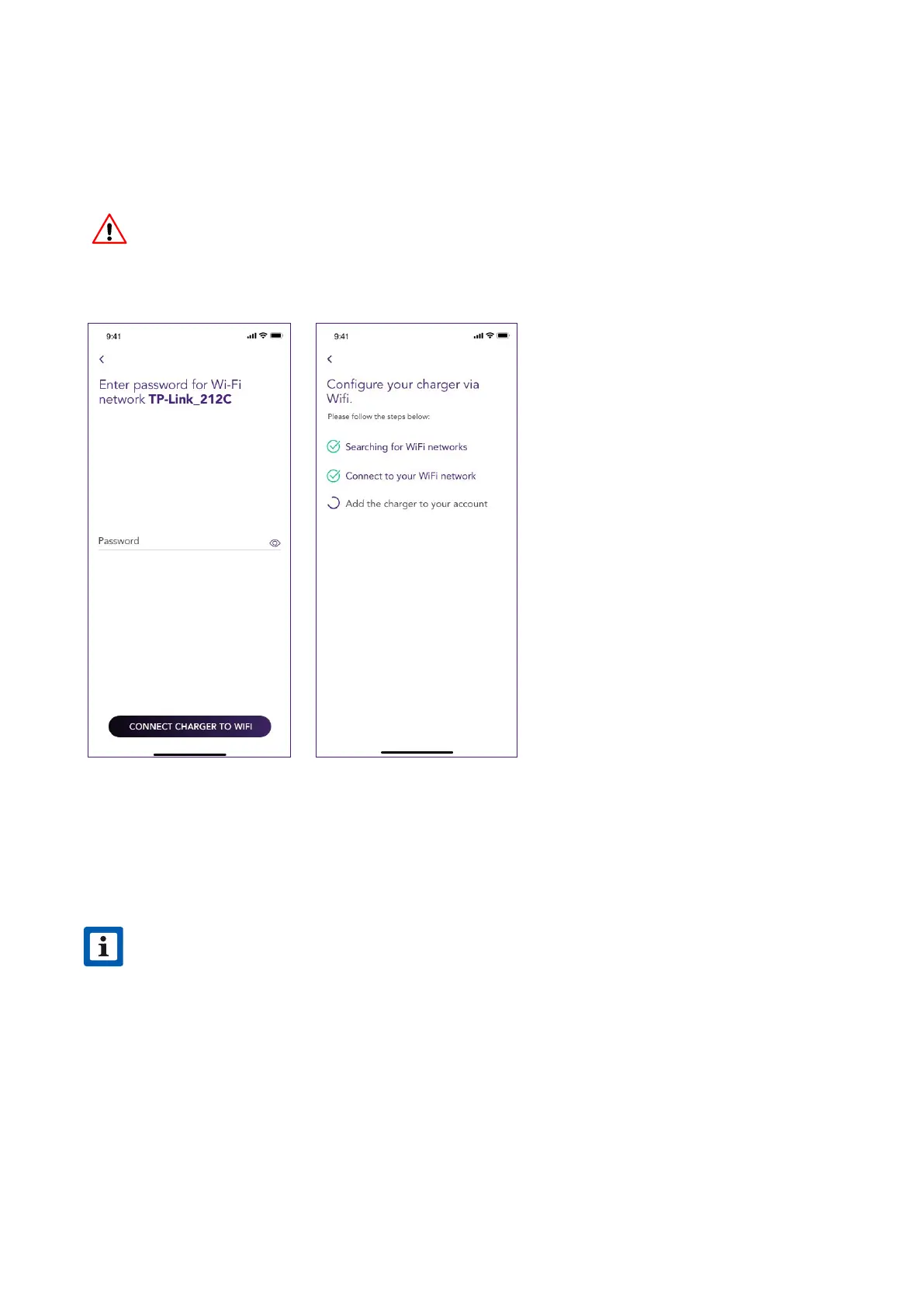
7. Enter the password of the network selected and select CONNECT CHARGER TO WIFI
8. Your JuiceBox is now connected to the Wi-Fi. Select CONTINUE to proceed to JuiceBox
conguration.
NOTE
Once password verication is completed, the smaphone may not reconnect
automatically to the hotspot of the JuiceBox. After 20 seconds, if you are not
redirected to the following screen, go to the Seings of your phone and restore the
connection to the hotspot of the JuiceBox.
v
NOTE
At the completion of this step, the LED of the JuiceBox will show a blue color, and will
then blink in red color for a few seconds.
v



 To Next Page