4
2. JuiceBox modes
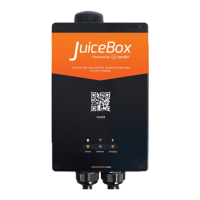
Before seing up your JuiceBox, it’s impoant to determine which mode your JuiceBox will
use. JuiceBox has 2 modes: Connect&Charge mode and Unlock to Charge mode.
2.1 Connect & Charge mode
This mode does not require any authentication before staing and ending a charging
session. However, this mode does not permit seing up delayed charging.
> To sta charging, simply plug in your vehicle.
> To stop charging, send a stop command (from the JuicePass app or from the vehicle)
and then unplug your vehicle.
JuiceBox uses the Connect & Charge mode by default. However, it is still recommended to
follow the steps in the “Geing Online” section in order to congure your JuiceBox seings,
remotely manage charging sessions, and more.
2.2 Unlock to Charge mode
NOTE
This mode is suggested when the JuiceBox is installed in areas with access that is
exclusive to the user.
v
NOTE
This mode is suggested when the charger is installed in areas with public access.
v
In Unlock To Charge mode, the JuiceBox only charges when it recognizes an authorized
user. This means that charging sessions are staed and stopped using either an authorized
JuicePass App account or a RFID card associated with the JuiceBox. This mode also allows
seing up delayed charging.



 To Next Page