5
3. Geing online
You JuiceBox can be connected to Enel X’s sma charging platform through either a Wi-
Fi or cellular internet connection (the laer available only for JuiceBox Pro Cellular and
Plus Cellular). This allows you to control your JuiceBox anytime, from anywhere, using the
JuicePass app. The JuicePass app is available on the iOS App Store and Google Play Store.
3.1. Geing JuiceBox online using cellular connectivity
(AVAILABLE ONLY FOR JUICEBOX PRO CELLULAR AND JUICEBOX PLUS CELLULAR)
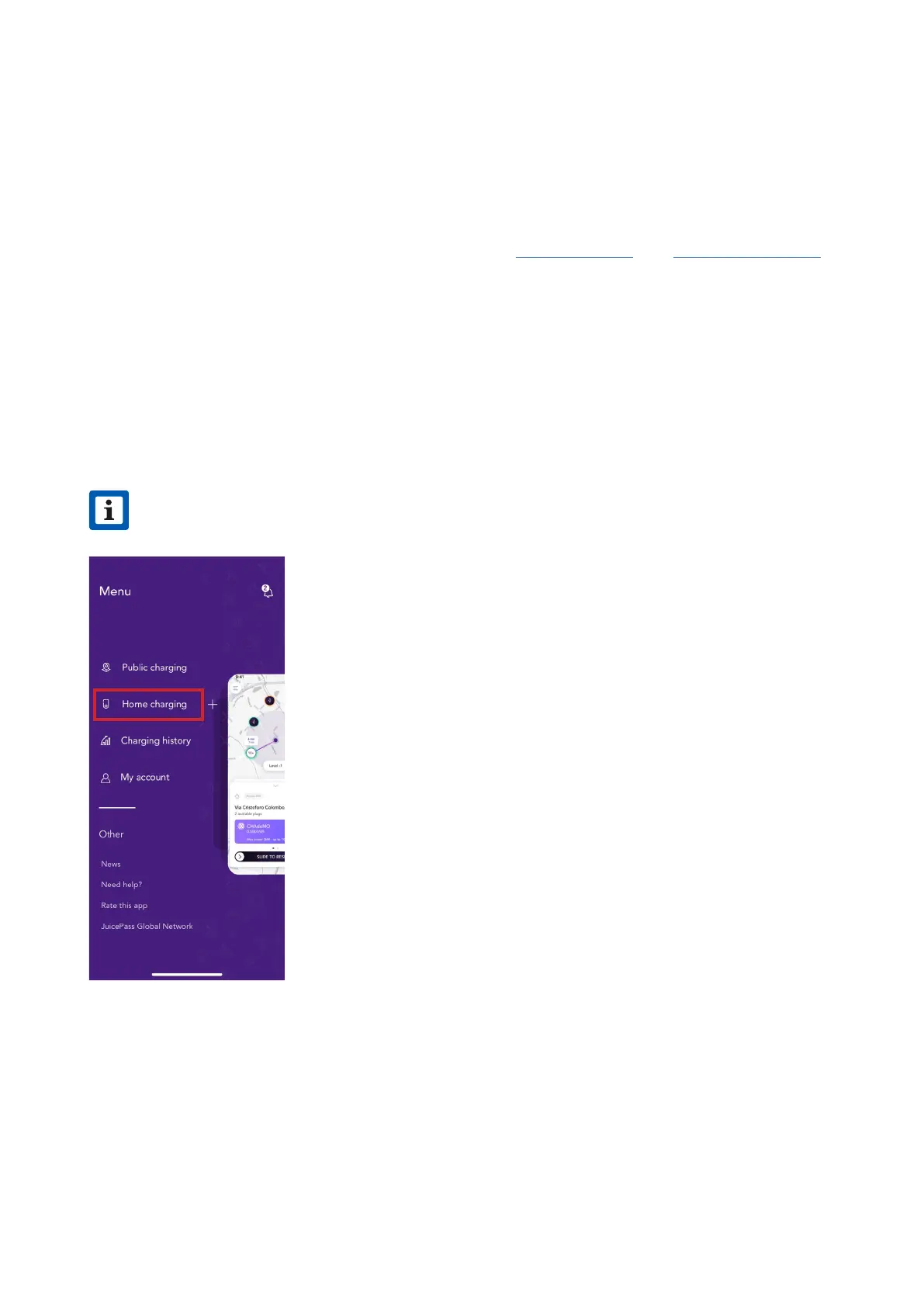
1. On the top left corner of the home screen, select 3 horizontal lines > Home Charging.
NOTE
In case another JuiceBox was previously congured, click on the + symbol
next to Home Charging.
v



 To Next Page