35
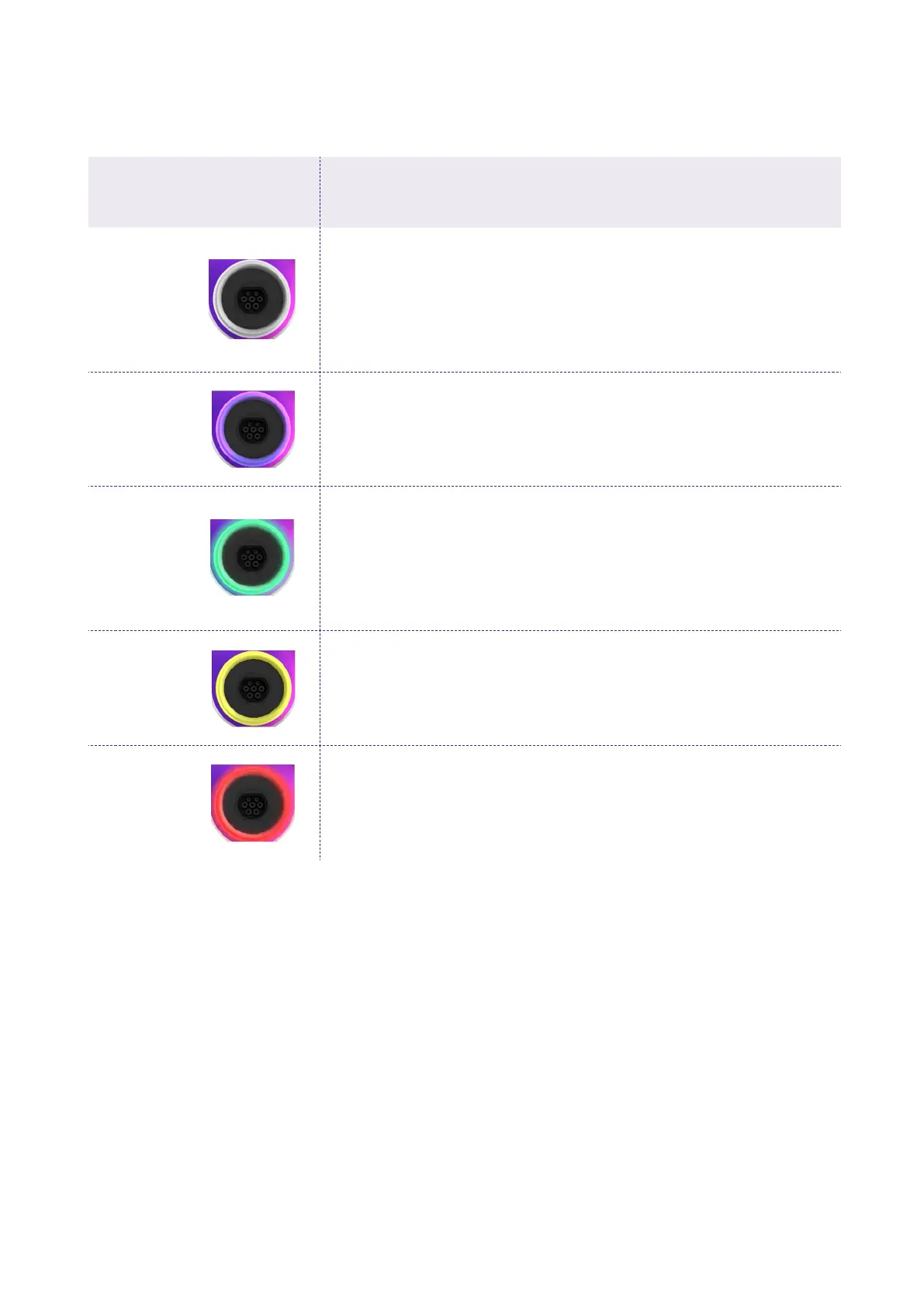
COLOR MEANING
White
> Solid: Online
> Blinking: Online, waiting for cable inseion (90-second
duration)
Purple
> Solid: Oine
> Blinking: Oine, waiting for cable inseion (90-second
duration)
Green
> Solid: Charging complete (vehicle not drawing power)
> Solid (3-second duration): Sta/stop command
received from app or RFID card
> Blinking: Charging
Yellow
> Blinking: Standby
Red
> Solid (3-second duration): RFID not authorized, or
vehicle was not plugged in in time
> Blinking: Error
7. LED indicator



 To Previous Page