34
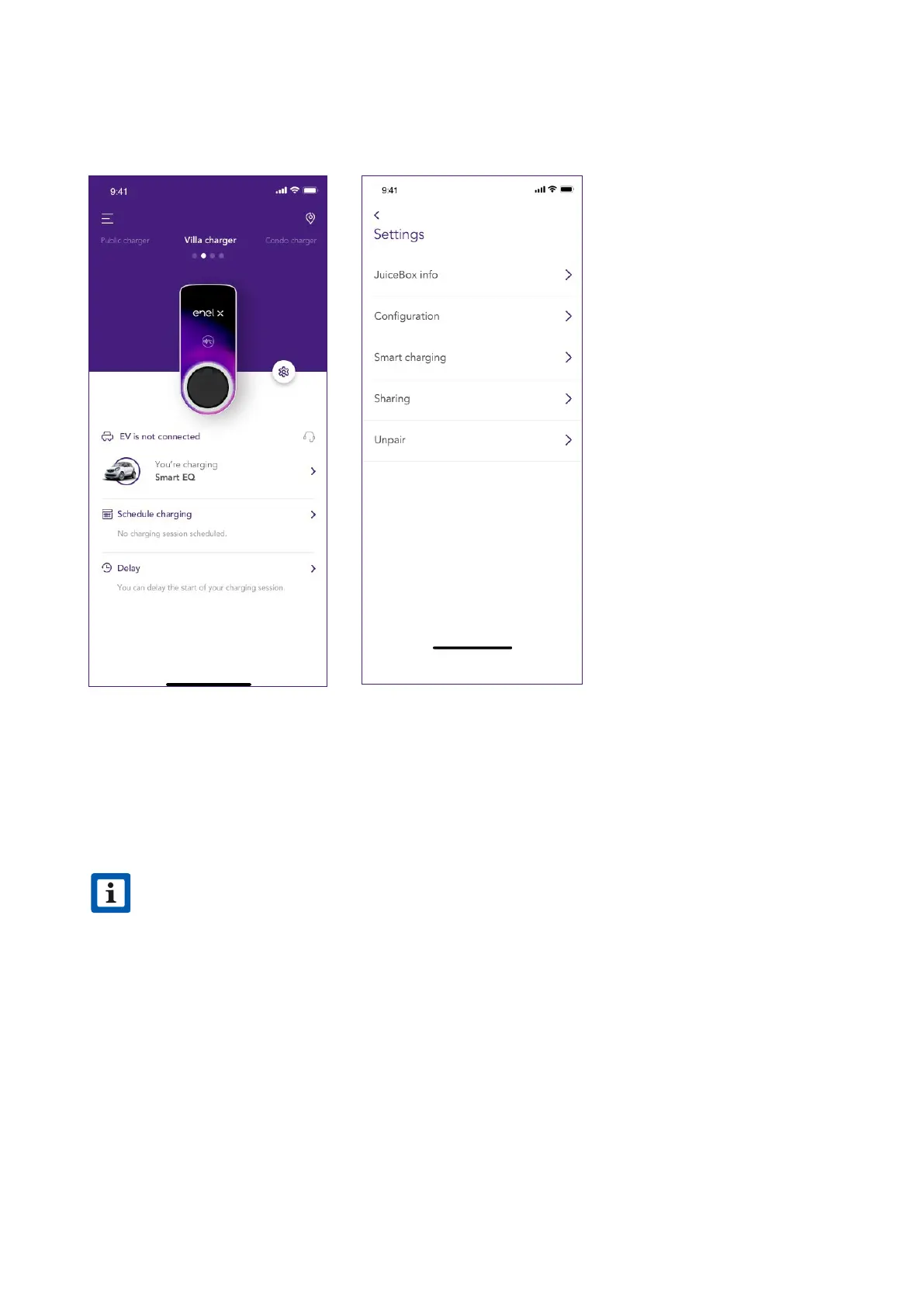
To access the Seings menu of the JuiceBox, click the gear icon next to the image of the
JuiceBox. The seings menu provides access to the actions listed below:
> JuiceBox info: the name of the JuiceBox and its address
> Conguration: select the mode of use and the default power of the JuiceBox
> Scheduled charging (Sma charging): set a recurrent charging time frame, selecting
time and day of the week
> Sharing: retrieve the PIN code that allows an additional user to associate the JuiceBox to
his/her account
> Unpair: unpair the JuiceBox and remove it from your account
NOTE
If a JuiceMeter enables Load Optimization Plus functionality (available only for
JuiceBox Pro), the maximum power provided by the JuiceBox will be the lower number
between the cap set during the JuiceMeter’s installation and the power level selected
through JuicePass app.
v



 To Next Page