33
Function Key Label Descriptions
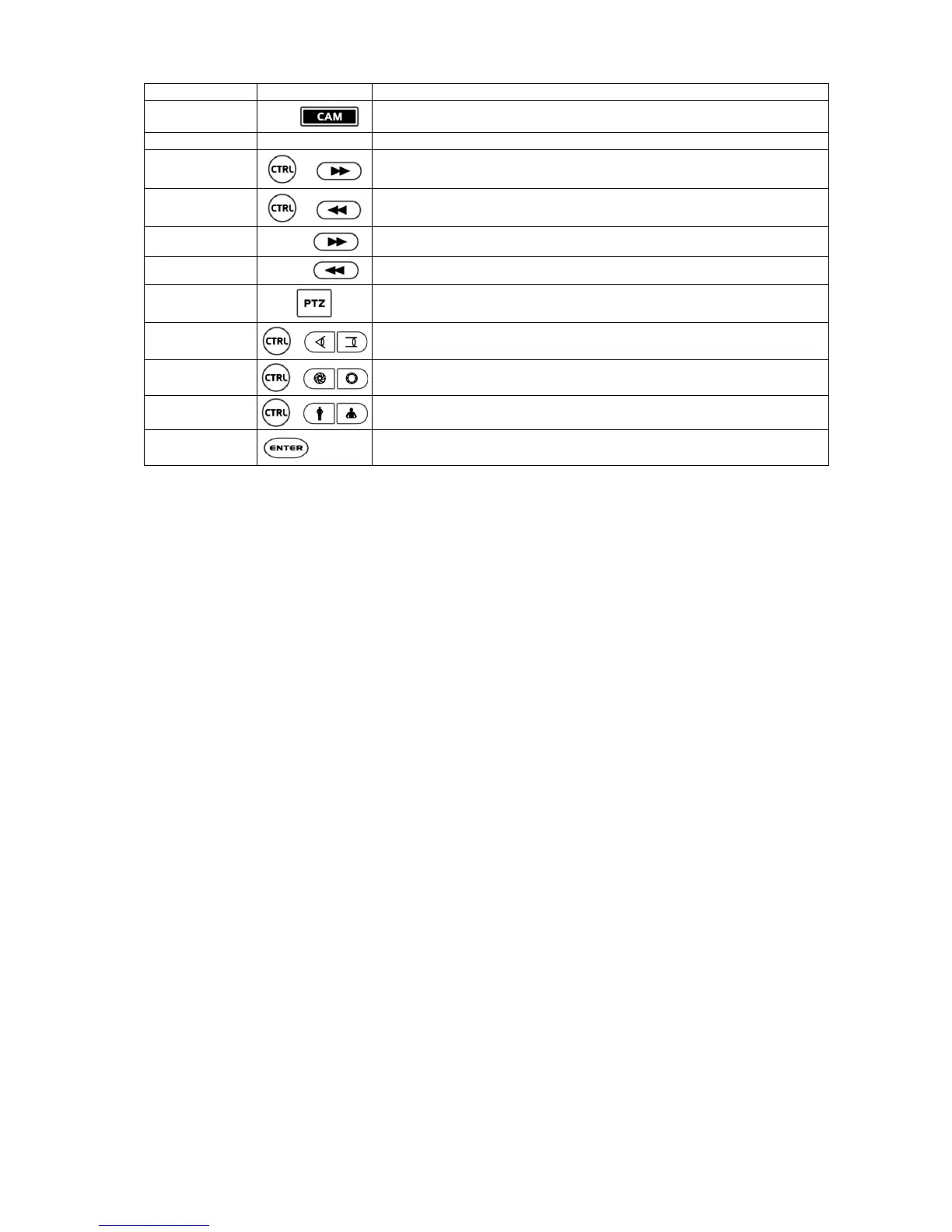
Cam Selection
No. +
[PC-DVR]
Select the camera and change the camera in the full-screen mode.
Display Mode
CTRL + 1 ~ CTRL + 9
[PC-DVR] Change screen mode.
Go last
+
[PC-DVR] Go last
Go last
+
[PC-DVR] Go last
X times Forward play
1 ~ 9 +
[PC-DVR] Fast play at x (No.) times speed.
X times Backward play
1 ~ 9 +
[PC-DVR] Fast rewind at x (No.) times speed.
PTZ [DVR1- 4] Open a Pan/Tilt/Zoom screen which allows you to control properly configured PTZ cameras.
Manual Focus
+
When a PTZ camera is connected to the DVR, it can control the focus.
Moving the Zoom handle reactivates Auto Focus mode.
Manual Iris
+
When a PTZ camera is connected to the DVR, it can control the IRIS.
Moving the joystick reactivates Auto Iris mode.
Zoom
+
When a PTZ camera is connected to the DVR, it can control the zoom position.
Movement
+ Joystick
Up / Down / Left / Right control in the PTZ mode.
Handle turn clockwise or counterclockwise for then zoom control.
* When DVR has the record button, select DVR1
* When DVR has the panic record button, select DVR2
* When DVR has the record button and the spot button, select DVR3
* When DVR has the panic record button and the spot button, select DVR4
* When DVR is the PC based DVR, select PC-DVR
* The key for the dome control operates only when the dome is connected to the DVR by RS-485 and the DVR is in the PTZ mode.


 To Next Page