ENERdan GmbH | Max-Planck-Straße 7, D-12489 Berlin, Germany | www.enerpower.de
Tel: +49 (0) 30 5770 344 35 | Fax: +49 (0) 30 5770 344 39 | sales@enerdan.de
10
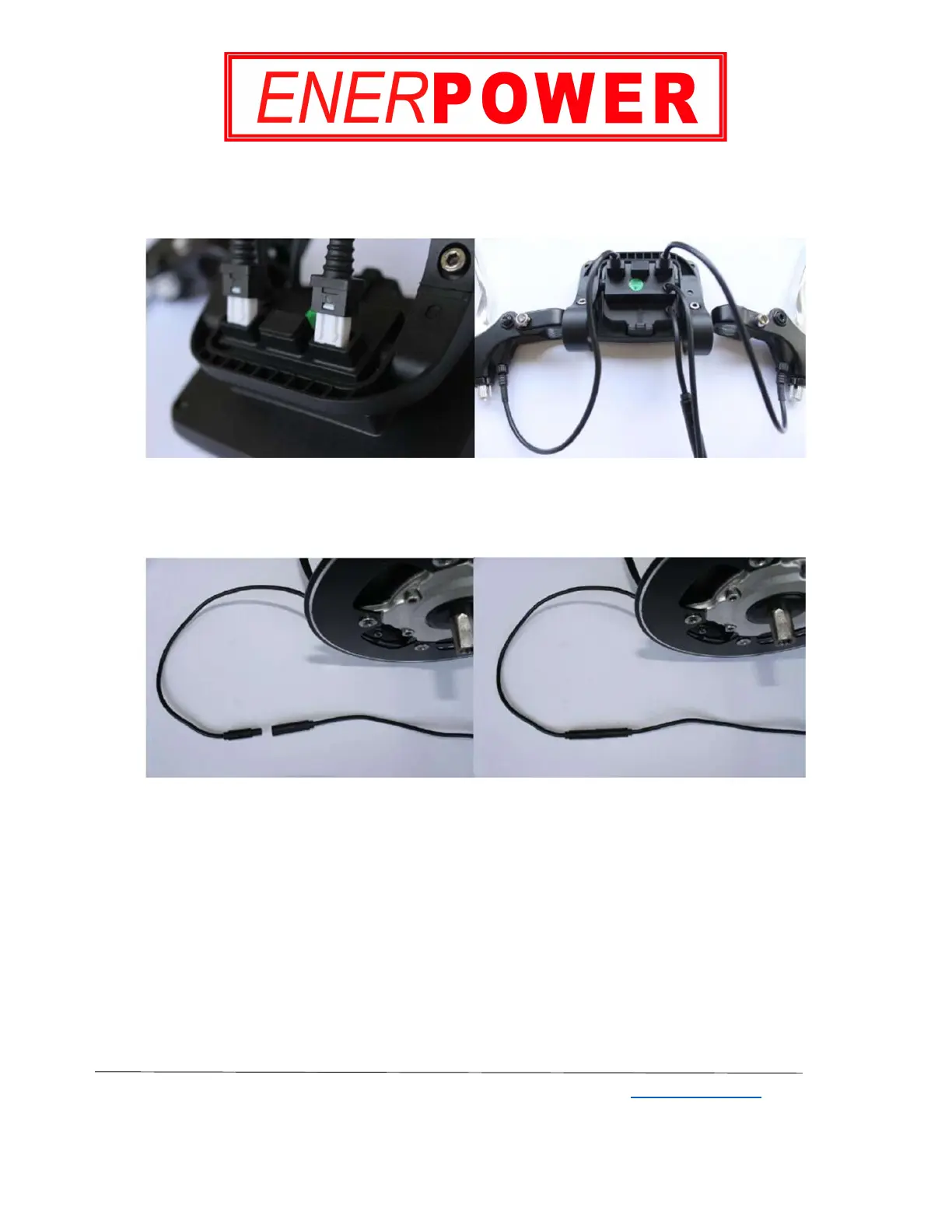
Step 2: Inserting the brake-levers plugs
Insert the brake-levers plugs into the display. Please refer to Image 11.
Note that the brake-levers are optional.
Image 11
Step 3: Connecting the main motor and the display
Please refer to Image 12.
Image 12


 To Next Page