1313
OPERATING INSTRUCTIONS
Operating Instructions (cont.)
Automatic Equalization Start
If an equalization day has been programmed in
Charger Conguration, the equalization charge will start
automatically on the programmed day of the week after
charging is complete.
After the equalization, the battery will be available
when the green LED comes back on and the display
shows AVAIL. The battery is now ready for use. If the
battery remains plugged in and refresh charge has been
enabled, refreshes will occur to maintain an optimal
charge. Push the ENTER/STOP and START button before
unplugging the battery.
AC Power Fail
If the AC power fails with a battery connected to the
charger during a charge cycle, the charger will reset
and start a new charge cycle when power is restored.
All charger settings as well as the time and date are
preserved.
Series Charging
In series charging, the voltages of both batteries add up
and must match charger’s nameplate DC volts rating.
The charger’s amp-hour rating must be equal to each
battery’s amp-hour rating. Charge cycle will not start
unless both batteries are connected.
Menu and Display Information
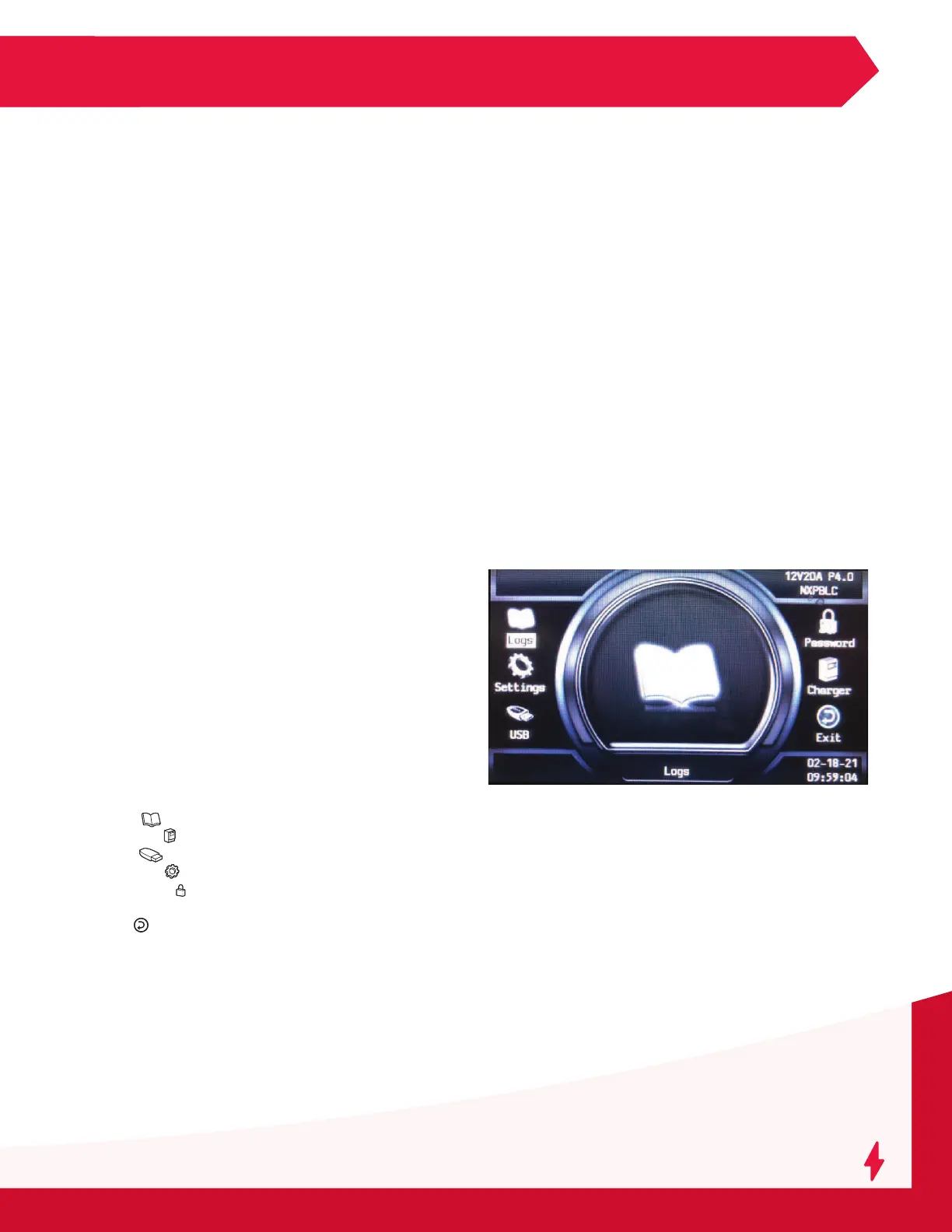
Main Menu Display
When the charger is idle, press and hold ESC, the
Main Menu is then displayed. The main menu is
automatically exited after 60 seconds of inactivity
or can be exited voluntarily by pressing the ESC
button.
All menus are accessed from the Main Menu; a
detailed description of each menu is included in
the next sections of this manual. The menus that
require a password are not displayed until the correct
password has been entered.
The menus provide access to the following functions:
• Logs ( ): View status and memorizations
• Charger ( ): View faults, alarms, etc.
• USB ( ): USB functions
• Settings ( ): Setting date, language and others
• Password ( ): Management of password (for
service technicians only)
• Exit ( ): Exit main menu



 To Next Page