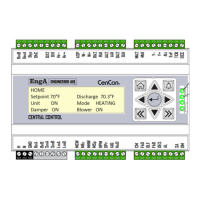
CenCon
20
ALARM DESCRIPTION
The last alarm event will be shown on the main page of the CenCon display. A more detailed list can be found
by pressing the alarm keypad button . Additional alarms specific to the system are detailed by expansion
module type.
Low limit
The low limit setpoint is the lower of 40°F or 15°F below the discharge air
setpoint.
Air Proving Fault
VFD Feedback is greater than the minimum VFD speed for more than 30
seconds with the supply fan output off.
Air Proving switch shorted
Low airflow
Air Proving switch opens during operation for 30 seconds or the
feedback drops below the minimum speed for 30 seconds.
Discharge Air Sensor Failure
Discharge Air sensor is outside of its rang
60°F to 220°F) for 10 seconds
or more.
Ambient Air Sensor Failure
Outdoor Ambient sensor is outside of range (
seconds or more.
Damper End Switch Warning
Shorted damper end switch. Meaning the damper end switch is made
before energizing the damper output.
Damper Mechanical Alarm
End switch enabled codex is true and end switch is not made after
energizing damper output.
Triggered on loss of communication with application modules.
ALARM RESET
To reset from the computer screen, press the Alarm Reset button on the main screen. To reset from the
CenCon keypad, press the button, then to move the cursor to the reset area. Then press .


 To Next Page