42
Move
Select achannel andpressYellowbutton.Then pressOK. Thechannel willbe
markedwithanicon.Usetheupanddownbuttonsontheremotecontrol,tose-
lect newpositionforthischannelandpressOK.Thechannelwillbemovedtothe
selectedposition.
Note! If you want to move channels in a new position, the LCN option should be
OFF.
Edit
SelectachannelandpresstheBluebutton.Newoptionswillappear:
Sort: Press Red button on the remote control. Now you can sort the channels by
Name (A-Z), Name(Z-A), Free/Scramble, Lock.
Edit: Press Green button on the remote control and then press OK. Now you can
change the name of the channel.
Delete: Press Blue button on the remote control and then press OK. The channel
will be marked with an icon. Press the EXIT button to conrm changes.
Radio Channel List: Enters to the menu for edit the Radio Channel List.
Delete All: Opens a warning window. If you choose Yes, all channels will be de-
leted.
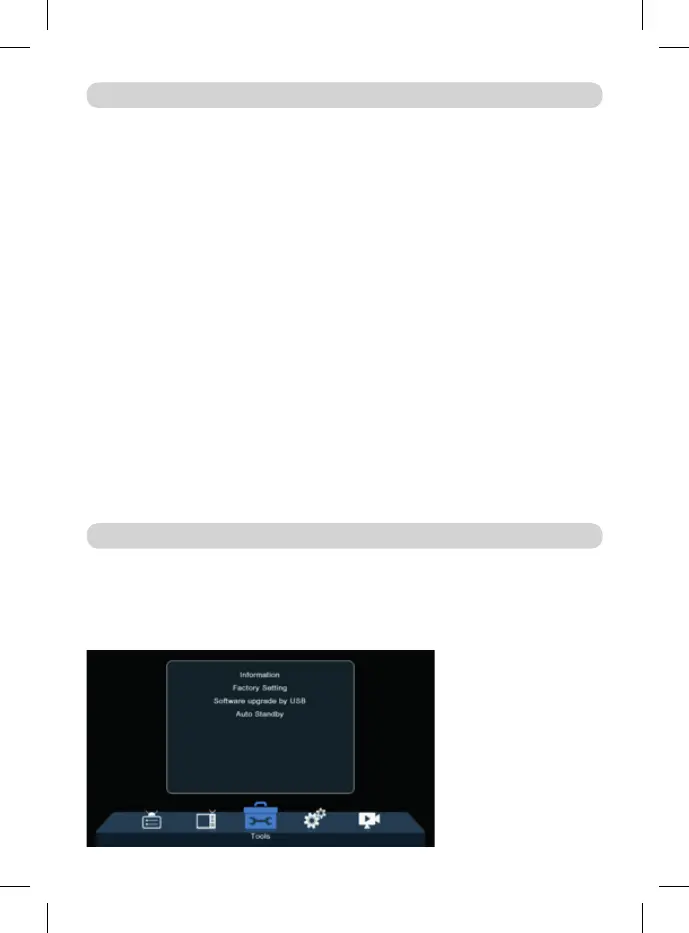
Information: Displays Information about the Model, Video Decoder and the Date
of the Firmware.
Factory Setting: If you choose to restore Factory Settings, the Channel Lists and
all Settings will be deleted.
MAIN MENU
TOOLS



 To Next Page