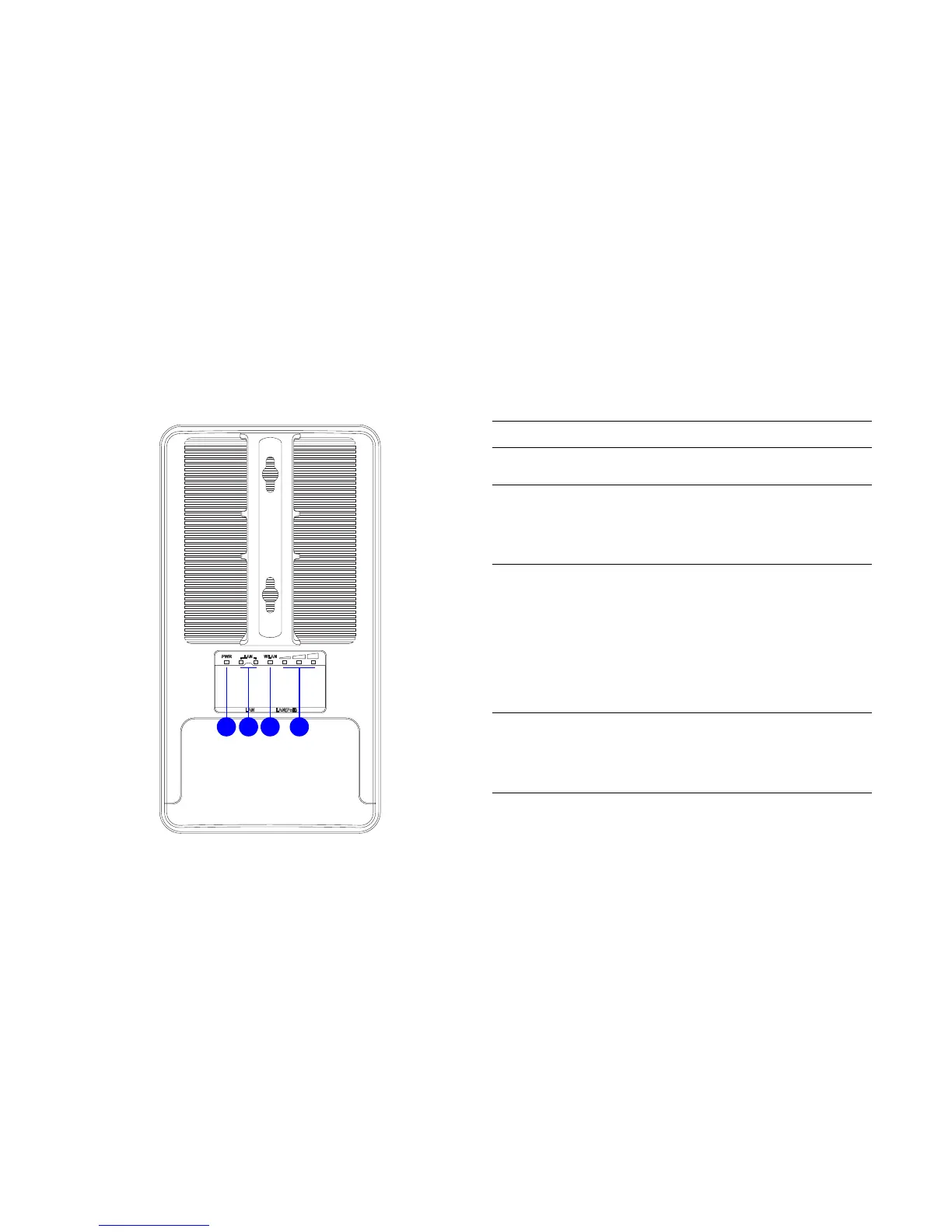
BACK PANEL VIEW DESCRIPTION
A Power LED
OFF = ENS500 is not receiving power
ON = ENS500 is receiving power
B LAN (2) LEDs
OFF = ENS500 is not connected to the
network.
ON = ENS500 is connected to the network,
but not sending or receiving data
Blink = ENS500 is sending or receiving data
CWLAN LED
(Access Point or Client Bridge Mode)
OFF = ENS500 radio is off and the device is
not sending or receiving data over the
wireless LAN.
ON = ENS500 radio is on, and the device is
not sending or receiving data over the
wireless LAN.
Blinking = ENS500 radio is on, and the
device is sending or receiving data over the
wireless LAN.
D Signal Indicator LED
(Client Bridge, WDS Station and Client
Router Mode)
Green - Signal is good
Orange - Signal is normal
Red - Signal is weak or non-existent













 To Next Page