Installation and Operation Manual
●
Fan Coil Controller – EZstat
EC-EZstat
Date: 9-2014 Supersedes: NEW
Engineered Comfort reserves the right to change any information concerning product or specification without notice or obligation.
Page 3 of 36
1 PREFACE
Your equipment is inially protected under the manufacturer’s standard warranty. However, this warranty is provided under the
condion that the steps outlined in this manual are followed for inial inspecon, proper installaon, periodic maintenance and
everyday operaon of the equipment.
This manual should be fully reviewed in advance of any actual work being done on the equipment. Should any quesons
arise, please contact your local Sales Representave or the factory before proceeding.
Consult the approved unit submial, order acknowledgment, and other manuals for details on the applicaons and accessories
provided with the equipment on each project.
Always follow proper procedures related to safety, handling, installaon, operaon, servicing of mechanical equipment as the
manufacturer assumes no responsibility for personal injury or property damage resulng from improper or unsafe pracces
during handling, service or operaon of any equipment.
2 SAFETY SYMBOLS & CONSIDERATIONS
The equipment covered by this manual is designed for safe and reliable operaon within its design specicaon limits. To avoid
personal injury or damage to equipment or property while installing or operang this equipment, it is essenal that qualied,
experienced personnel perform these funcons using good judgment and safe pracces. To promote safety, the following
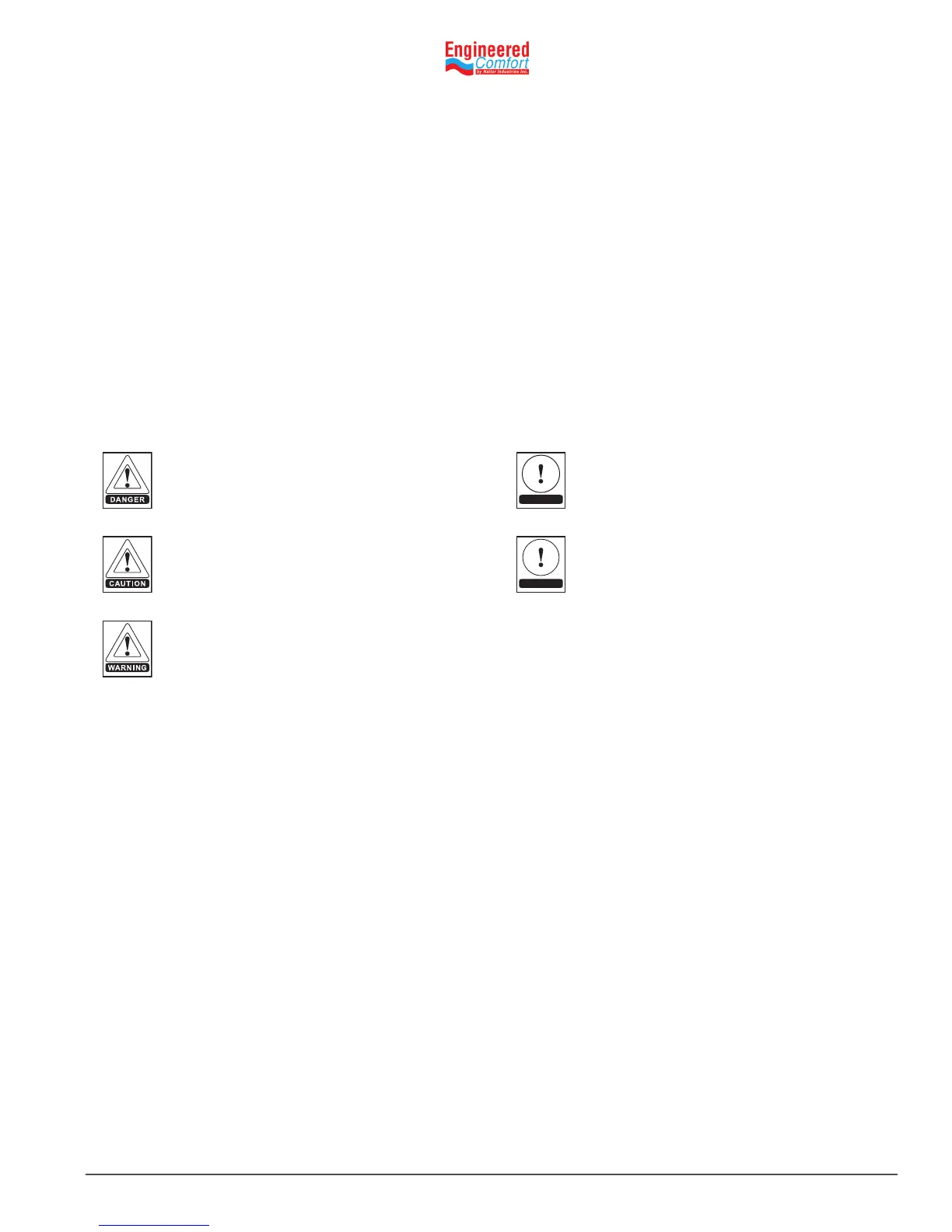
symbols are used in this document to alert the reader to potenal hazards:
3 INTRODUCTION
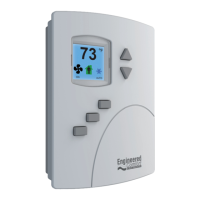
The EZstat combines the power of a space‑mounted equipment controller with the convenience of built‑in temperature sensors.
The EZstat controller includes a wide range of factory supplied programs for two and four pipe fan coil units.
3.1 Features
• No special programming, soware applicaon, or setup tools are required to congure and commission an
EZstat
• Bright, full‑color display is easy to read across a room even in bright sunlight
• Display ‑ Large numbers and simple color icons to indicate heang or cooling, local setback modes, and fan operaon
• Five funcon keys, operator can change set‑points and fan, heang, cooling modes, choose between Fahrenheit or
Celsius values, Set BACnet addressing, Set up and commission the installaon, and add or change user passwords
• Ready to connect to a BACnet MS/TP network. Device instance, MAC address, and baud rate are set from the
password protected front controls; feature a hardware clock and BACnet schedule that can be set up from the front
panel or as standard BACnet objects and properes
• White nish
3.2 UserFuncons
EZstat user funcons are limited to changing the following funcons:
• Acve temperature set‑points
• Fan operaon
• Changing between heang and cooling
• Override scheduled occupancy or occupancy based on the schedule in the EZstat
• Change the display between Fahrenheit and Celsius
NOTE
NOTE is used to highlight addional informaon
which may be helpful to you.
DANGER indicates an imminently hazardous
situaon which, if not avoided, will result in
death or serious injury.
CAUTION idenes a hazard which could lead
to damage to the machine, damage to other
equipment and/or environmental polluon.
Usually an instrucon will be given, together
with a brief explanaon.
WARNING indicates a potenally hazardous
situaon which, if not avoided, could result in
death or serious injury.
TIP
TIP indicates me saving shortcuts and
programming ps.


 To Next Page