CHANNEL 4 & Low Gain Low End SWM
CHANNEL 4 & High Gain Low Midrange High Midrange
SWM
Twang Bright
High Gain
Bright
: (that's switch #2 on the )
: & (that's switch #3
combined with switch #4 on the ).
TheSoundfunctiongivesyousomuchcreativeleewayinvoicingtheampthatitmerits
a closer look: In the preceding section, you learned that you can activate a certain
voicing such as for Channel 1 in Low Gain mode or for Channel 2 in Low
Gain mode. Note that 'Low Gain mode' simply means that is not activated.
Your choice of voicing will of course depend on the selected mode, which in turn is
determinedbythecurrentlyactivechannelandthegivengainstagesetting.
The Sound button's voicings are automatically adjusted to match the amp's operating
modes as determined by the given channel and gain stage. This is very beneficial to
your tone. Here's why: Each tonal flavor has certain frequency ranges that can be
tweaked to fine-tune that type of tone. As you can imagine, these frequency ranges
vary from sound to sound, say from a pristine clean tone to a heavily overdriven lead
sound.Avoicingsuchas wouldhardlyenhanceadistortedtone,soit'snotmuch
use in shaping lead sounds. However, tweaking the low end and various midrange
frequencies can certainly change the flavor of crunchy rhythm sounds or singing lead
tones. But I don't want to bore you by trying to describe all the Sound voicings'
specifics. Besides, tone is very subjective, so here's my recommendation: Plug in your
guitar and try out all 16 variations by combining the channel's fundamental sound in
LowGainandHighGainmodesandswitchtheSoundfunctionoffandon.Anaudition
willtellyoualotmorethanwordsevercould.
Nonetheless, I do want to devote a few more words to an optional feature that
extends the tonal capabilities of the Sound function on the INVADER II amp. It caters
to demanding players who want to sculpt their sound with the surgical precision of a
scalpel rather than beat it into shape with a mallet. Closet hot-rodders and amp
modderswillfindplentytoloveinthistool.
Seeking to give creative guitarists practically unlimited freedom to shape their tone, I
started tinkering with the idea of a sound-tuning tool for everyone. Eventually, we
cameupwith theSoundWizard module.Thisoptionaladd-on enablesanyguitarist to
fine-tuneallthefundamentalsoundsoftheINVADERIIampwithouthavingtotakea
soldering iron to its circuitry. Best of all, these modifications can be done without any
knowledgeofelectronics.RestoringtheINVADERIItoitsoriginalvoicingisassimpleas
flipping a single switch. The unique Sound Wizard module is truly extraordinary
becauseitdoeswhatsomanyguitaristshavebeenwantingtodoforsuchalongtime-
letsthem thesoundoftheirampstosuittheirtaste.
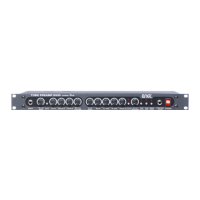
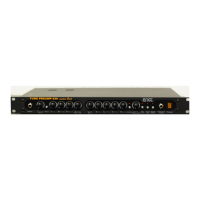
A single connector plugs the Sound Wizard module into the amp's circuitry. The ENGL
Sound Wizard module provides 96 rockers on 16 DIP switches for fine-tuning your
sound. 16 LEDs next to the DIP switches tell you which configuration of rockers is
currentlyactiveforagivenampmode(Channel,Gain&Soundsettings).A slideswitch
enables and disables the Sound Wizard module. The module's status is indicated by a
separateLEDonthemodule as well asbytheSWMLEDon the amp's frontpanel.You
can encode a total of 64 different settings on the Sound Wizard module foreachamp
mode. The variations on Channel, Gain & Sound settings give you a totalof16modes.
A tip from the designer:
it fine-tune
The Sound Wizard module sits in the amp's rear panel, so all you have to do is replace
thepanel.There'snoneedtoremovetheamplifierchassis.
7


 To Next Page