throughout the manual. All critical information concerning the operation of this amp
is preceded by "NOTE", "CAUTION", "Read and heed" or some other eye-catching
comment.We'recallingyourattentiontotheseremarksforreasonsofsafetyorother
compellingmotives,sopleasegivethemdueconsideration.
Everyone at ENGL is confident that the
and aresuretodelight you:
Andthe isthe
ifyouwanttogeteven when .
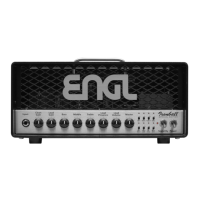
Though this amp head is relatively easy tohandleand you're probably raring to give it
a go, I recommend that you read the owner'smanual thoroughly before youpower it
up. It is equipped with several safety features that require further explanation to
preventmalfunctions.
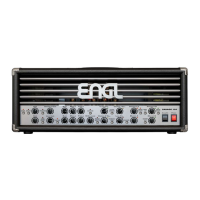
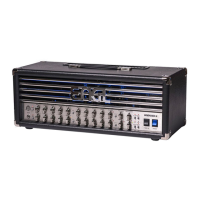
1. ENGL INVADER II Tube Amp Head;
2. mains cord;
3. this manual;
4. a pamphlet entitled
.
The Sound Wizard module referred to is not included.
The Sound function takes on a certain type of voicing that is determined by the
selected channel and the given gain stage setting. This function's setting - Sound off/
on - affects the amp's overall sound. You can assign many typical voicings individually
to the two and settings when using the ENGL Sound Wizard
module(optional).TheLED above thebuttonlightsupto indicatetheSoundfunction
is enabled ( ). It may also be switched via MIDI program change or the ENGL
CustomZ-9footswitch.
The following list shows how the Sound function works when enabled ( ) in
various modes and the ENGL Sound Wizard module is not installed (or the is set
to ):
: (that's switch #4 on the )
: (that's switch #3 on the )
: (that's switch #5 on the )
: (that's switch #3 on the )
: (that's switch #2 on the )
: & (that's switch #3
combined with switch #4 on the )
INVADER II tube amp's extraordinary
versatility outstanding features Simply plug in,play and
beinspiredbythetoneofyournewENGLamp! SoundWizardmodule
perfectadd-on morecreative sculptingyourtone
A few words of wisdom from the designer:
Contents:
Instructions for the Prevention of Fire,
Electrical Shock and Injury
Sound off Sound on
Sound on
Sound on
SWM
SoundWizardoff
CHANNEL 1 & Low Gain Twang SWM
CHANNEL 1 & High Gain Low Midrange SWM
CHANNEL 2 & Low Gain Bright SWM
CHANNEL 2 & High Gain Low Midrange SWM
CHANNEL 3 & Low Gain Low End SWM
CHANNEL 3 & High Gain Low Midrange High Midrange
SWM
Front Panel Features
in this manual
Onpage2and39ofthemanual,you'llfinddiagramsofthefrontandrearpanels.
1Sound
6


 To Next Page