21 /55
• Swap Channel
Select the program to be swapped and press “BLUE” key, the selected program will wink
and then select another program and press “BLUE” key to swap them.
3.2 Favorite Management
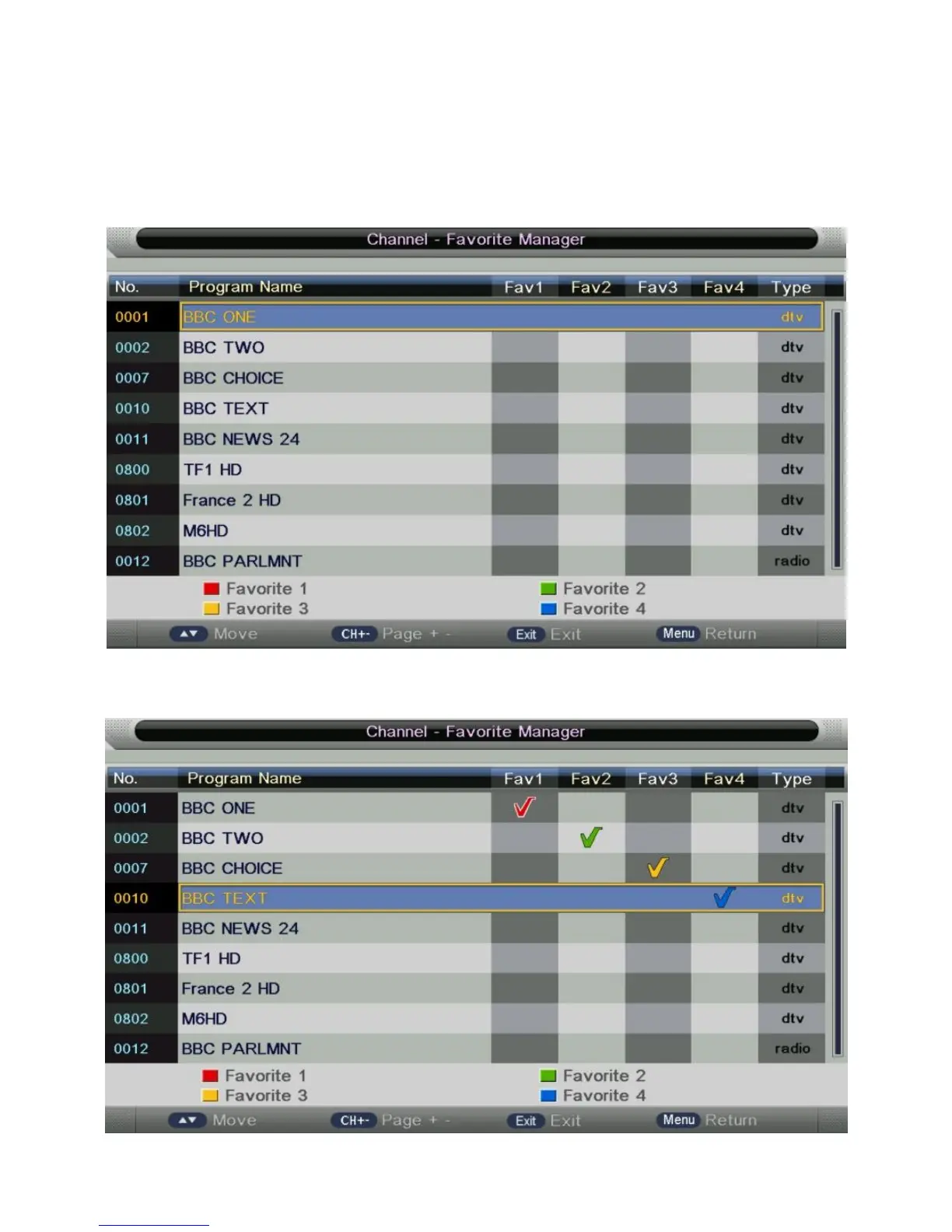
i. Press “ENTER” key on “Favorite Management” of “Channel” page in ATV or DTV
source. The operation interface shows as follow:
ii. Press “▲” and “▼” key to select the programs to be added to favorite list and press
“RED”, “GREEN”, “YELLOW” or “BLUE” key to mark them as following:
iii. Press “MENU” key to return “Favorite management” page and save the result.


 To Next Page