Pan&Zoom
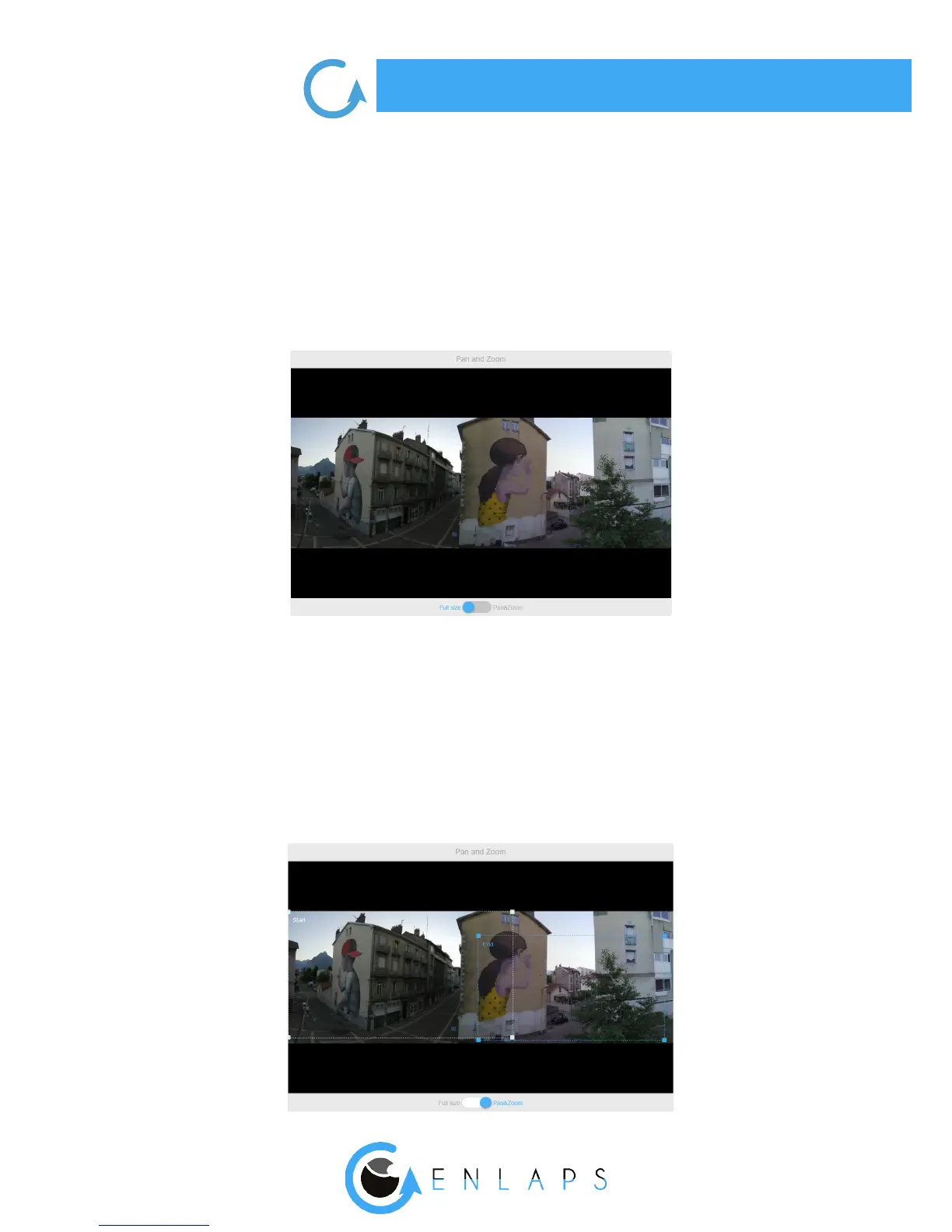
You can select two types of framing using the slider centered at the bottom of the tile ‘’Pan &
Zoom’’. You can choose : Full size or Pan&Zoom
Full size framing
Switch the cursor on ‘’Full frame’’. The video uses panoramic photos taken by your Tikee.
Pan&Zoom framing
Switch the cursor to ‘’Pan & Zoom’’. The time lapse video will then move in the panoramic image
from the ‘Start’ area to get to the ‘End’ area.
You can freely select the position of the start and end area.
The size of the areas can also be changed to zoom.
Note that the minimum size has been blocked in order to always get a FullHD video.



 To Next Page