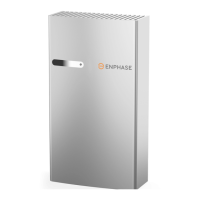
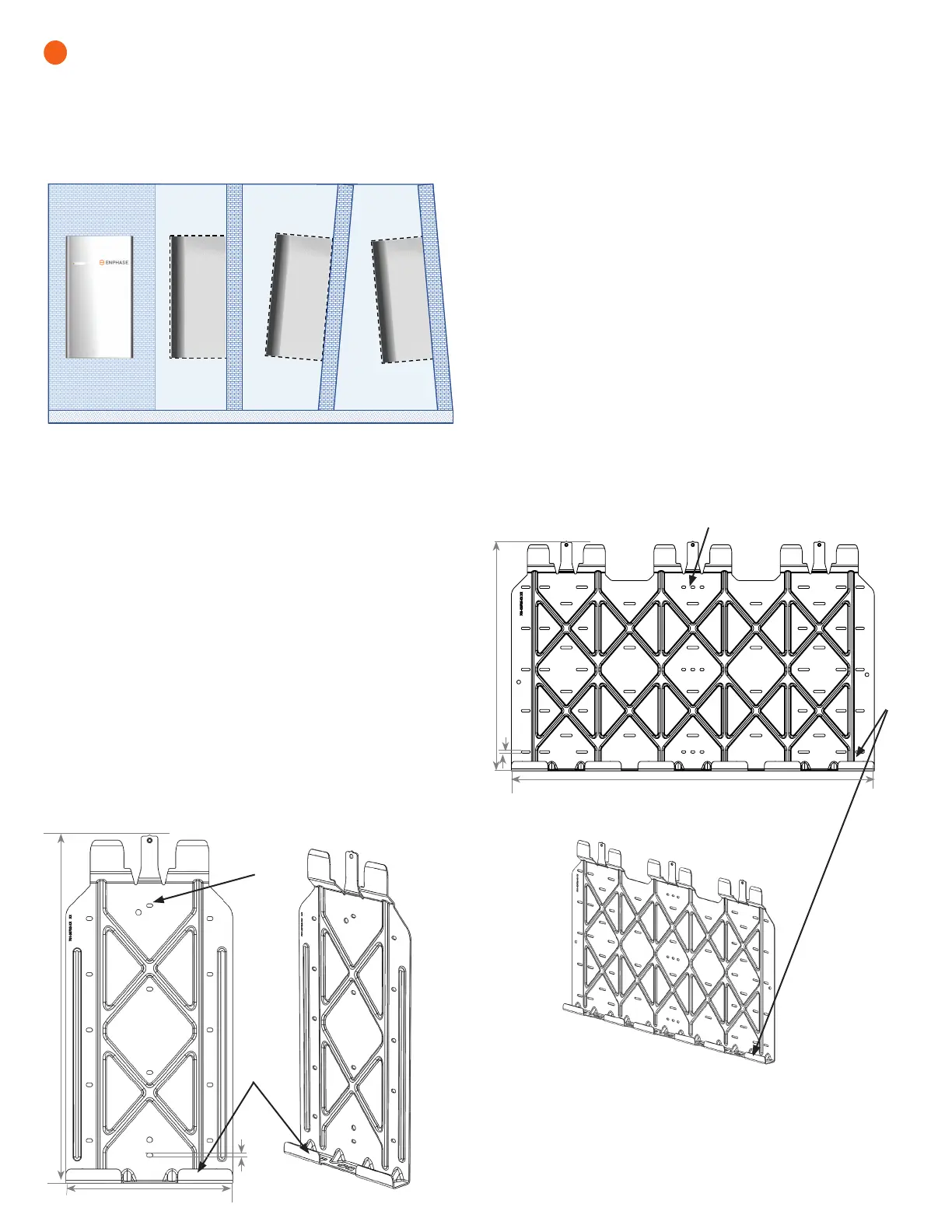
IQ Battery 3 wall-mount bracket
Bracket shelf
Mounting holes
Front view
Angle view
IQ Battery 3 — single-width bracket
A ) Place the wall-mount bracket on the wall so that the mounting holes
in the middle of the bracket align with the center of the stud.
B ) Use a level to keep the bottom of the wall-mount bracket level.
C ) Use 1/4 inch screws (or masonry attachments for masonry) to
attach the bracket using one screw and washer for each slot
(6.8 mm / 0.27 inch). Tighten all the screws to manufacturer’s
specied torque values.
D ) Verify that the wall-mount bracket is solidly attached to the wall. You
must use four screws in each mounting bracket.
* WARNING! Risk of injury and equipment damage. Do not mount
an IQ Battery 3 on a bracket that is not properly mounted.
E ) If installing additional batteries, install adjacent wall-mount brackets,
as needed. Be sure to align the mounting holes in the wall-mount
bracket to the center of the wall stud. You may install another row
of brackets above the one already installed. Maintain at least 15 cm
(six inch) vertical clearance between rows of IQ Battery installations,
and ensure that the wall can support the structural load (weight) of
the installation.
* WARNING! Risk of injury and equipment damage. Do not install
more than three IQ Battery 3 units per 20 A branch circuit.
4
Install the IQ Battery 3 (single width) or IQ Battery 10
(triple width) wall-mount bracket
IQ Battery 10 — triple-width bracket
A ) Place the wall-mount bracket on the wall so that the mounting holes
in the middle of the bracket align with the center of the stud and the
mounting holes on the left and right align with the adjacent studs.
B ) Use a level to keep the bottom of the wall-mount bracket level.
C ) Use 1/4 inch screws (or masonry attachments for masonry) to attach
the bracket using one screw and washer for each slot (6.8 mm/0.27
inch). Use screws in each section of the mounting bracket to support
the three IQ Battery units. There is an array of slots so that you can
choose those that allow you to mount the bracket on studs. Tighten
all the screws to the manufacturer’s specied torque values.
D ) Verify that the wall-mount bracket is solidly attached to the wall.
* WARNING! Risk of injury and equipment damage. Do not mount
10 IQ Batteries on a bracket that is not properly mounted.
E ) If installing additional batteries, install adjacent wall-mount brackets
as needed. Be sure to align the mounting holes in the wall-mount
bracket to the center of the wall stud. You may install another row of
brackets above the one already installed. Maintain at least 15 cm (six
inches) vertical clearance between rows of IQ Battery installations
and ensure that the wall can support the structural load (weight) of
the installation.
* WARNING! Risk of injury and equipment damage. Do not install
more than one IQ Battery 10 unit per 20 A branch circuit.
IQ Battery 10 wall-mount bracket
Bracket
shelf
Mounting holes
Front view
Angle view
Vertical +5° Inclination -5° Inclination
Floor
Wall
Wall
Wall
Allowable tilt from vertical for IQ Battery installation
627 mm
991 mm
6.8 mm
300 mm
627 mm
6.8 mm
Follow the instructions below for the bracket style (single-width or triple-width) you are
installing.
* WARNING! Risk of injury and equipment damage. Attach the wall mount to
the wall so that it is no more than ve percent vertical. See the following image for
reference:


 To Next Page
 Loading...