12
STEP 1
STEP 2
STEP 3
STEP 4
pair remote
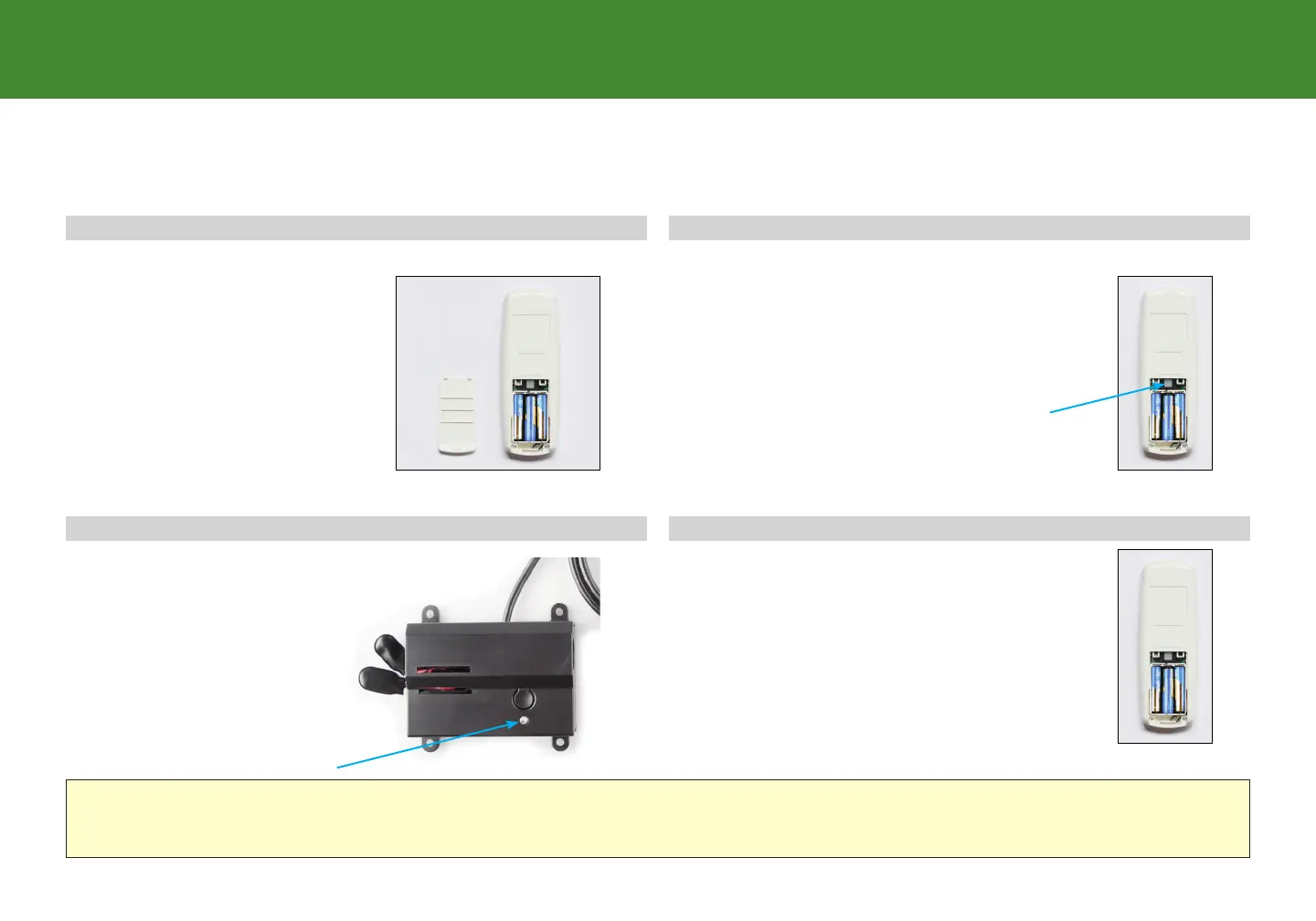
Remove back cover from
remote control. Remove and
replace batteries.
Press and hold button on the back of the
remote. The light will begin to flash then
become a continuous solid light.
Both lights on the Power Down Box and
the Remote will be continuous, then
simultaneously turn o. Replace back cover
of the remote.
The remote is now paired with the base.
Double click the button on
the Power Down Box (this
will not cause the base
to move). The light will
illuminate.
The original remote that comes in the box is already paired to the bed base. No further action is required.
In the event that the remote is not paired with the base, follow the steps below.
If the Power Down Box is not available- Press Reset button on control box. Pairing LED light on control box will illuminate. Press and hold
button on the back of the remote, the button will begin to blink. Both lights will become continuous and then simultaneously turn o.


 To Next Page