6
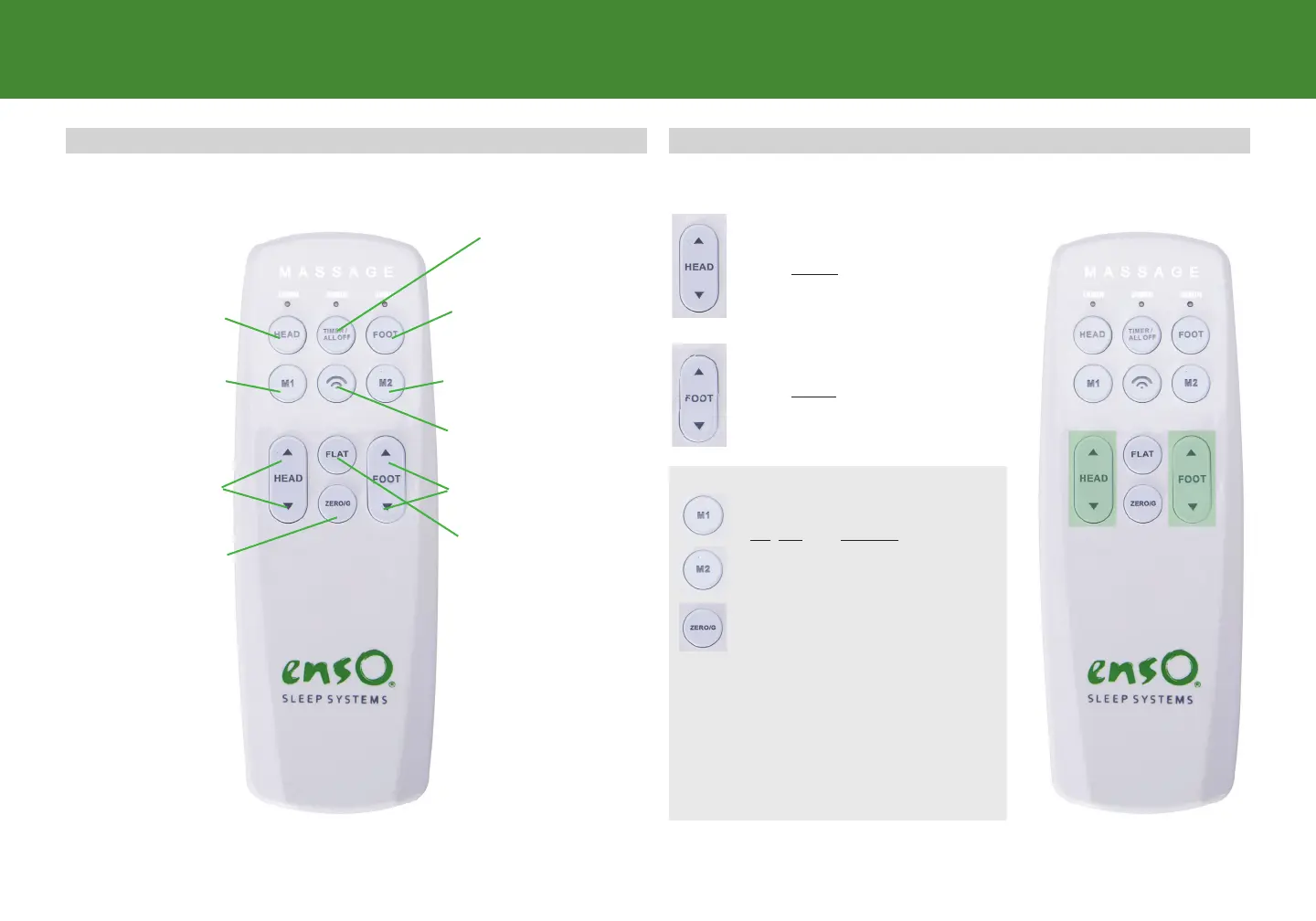
Lifts and Lowers Head
Lifts and Lowers Foot
Timer/all o
Button
Head Massage
UP/Down
remote overview
Zero Gravity
Preset Position
Memory Button 1 Memory Button 2
Change massage mode
Flat
Foot Massage
UP/Down
REMOTE OVERVIEW ADJUST
The HEAD arrows lift and
lower the head section of the base.
The FOOT arrows lift and
lower the foot section of the base.
Preset Position Buttons
M1, M2 and ZEROG
1. Press the “FLAT” button to
return the bed base to flat
position .
2. Adjust the head and foot to
desired positions .
3. Press the ‘TIMER” button until
back light flashes , then press
“M1", "M1" or ZEROG button.
4. You can reset the 3 position
buttons by repeating the above
steps.


 To Next Page