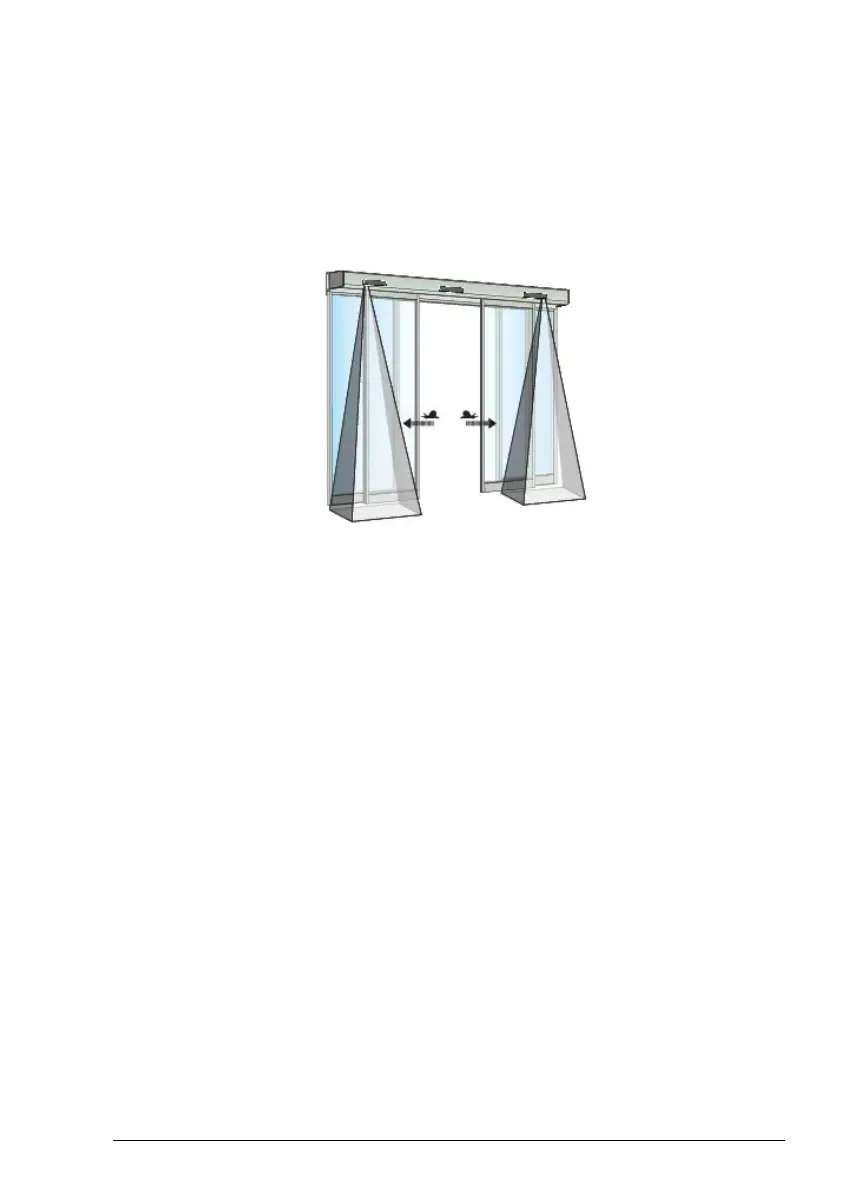
How to check your side presence detector(s)
Side presence sensors can be used for example if higher door speed is required or for installations
in homes for elderly/disabled or childcare centres, to protect users from being struck by the doors
during their opening cycle. When a side presence sensor detects an obstacle the door operator will
not stop, but slow down the door movement to a safe speed. With this safe speed the door will try
to push the obstruction away, to ensure that the person passing through the door will not walk into
the door.
Walk into the detection field of the side presence sensor on one side. Activate the impulse on the
operator, the door shall not stop, but slow down to safe speed during the opening.
If you have a bi-parting (double) door then repeat the procedure above on the other side.
11Issue 2019-06-281005274-EMen-9.0



 To Next Page