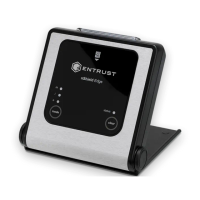
Need help?
Do you have a question about the Entrust nShield and is the answer not in the manual?
Identifies the target audience for the nShield Security Manual.
Lists the nShield product variants covered by this document.
Outlines the security goals and benefits provided by the nShield product range.
Procedures for ensuring the secure and verifiable delivery of nShield products.
Steps for inspecting nShield hardware for signs of tampering upon receipt.
Explains the role, architecture, and capabilities of nShield HSMs.
Guidelines for ensuring secure configuration and examination of HSM deployment environments.
Steps and considerations before commissioning an nShield HSM.
Guidance on installing nShield software components and bundles.
Information on the physical hardware components and their setup.
Instructions for configuring network settings for HSM connectivity.
Procedures for setting accurate time sources for HSMs.
Guidance on synchronizing nShield Connect time with NTP sources.
Instructions for setting host system date and time.
How to configure network interfaces for nShield Connect.
How to adjust hardserver listening interfaces for specific network needs.
Configuration of Impath resilience settings for network error recovery.
Steps for setting up the Remote File System (RFS) for backups.
Guidance on identifying and implementing logging requirements for nShield platforms.
Information on enabling and using debugging features, with security considerations.
Overview of access control mechanisms for protecting keys in a Security World.
Details on choosing and configuring Security World options during creation.
Configuring application interfaces for integration with Security World.
Guidance on using NVRAM for key storage and its limitations.
Setting up and using the Remote Administration Service (RAS).
How to use the Remote Operator feature for secure smart card transmission.
Describes access control options within a Security World and their pros/cons.
How Administrator Card Sets (ACS) protect Security World configuration and operations.
Details the three levels of application key protection.
Guidance on configuring and managing Security World access controls.
Advice on setting the NSO-timeout parameter for ACS quorum authorization.
How to create and manage quorum rules for ACS card sets.
Best practices for assigning, storing, and managing ACS cards.
Guidance on creating and maintaining quorum rules for OCS card sets.
Best practices for storing and managing OCS cards.
Explains OCS persistence modes and their security implications.
Managing OCSs for application independence and mitigating risks.
Setting ACLs for key wrapping/de-encapsulation to prevent misuse.
Identifying roles and assigning minimum required access rights for HSM usage.
Understanding Windows user privileges for HSM access and administration.
Understanding Linux user privileges for HSM access and administration.
Procedures for rescinding access rights for role holders.
Establishing and implementing a policy for nShield firmware and OS patching.
Configuring quorum settings for Operator Card Sets (OCS).
Overview of the Security World infrastructure for managing cryptographic keys.
Explains security strength representation and available modes.
Guidance on selecting algorithms and key sizes for application keys.
Defines cryptoperiods and rules for their application to keys.
Using the library for symmetric encryption operations.
Using SAM to identify weaknesses in PKCS #11 applications.
Physical security features of the nShield Edge.
Physical security features of the nShield Solo+.
Physical security, tamper detection, and response for nShield Solo XC.
Explains tamper detection and response for the nShield Connect.
Handling tamper events when the nShield Connect lid is closed.
Handling tamper events when the nShield Connect lid is open.
Steps to check the physical security of the nShield Connect.
Procedures for recording and verifying HSM and card reader locations.
Physical inspections during location verification, including tamper mechanisms.
Procedures for recording and verifying ACS and OCS card locations or owners.
Types of logs available and their protection mechanisms.
How Entrust publishes security advisories and recommended actions.
Importance of updating systems in line with a patching policy.
Maintenance procedures for user-replaceable parts on nShield Connect.
Maintenance for Solo XC fan and battery.
Events and activities to monitor for security incidents.
Actions to take when a security incident is suspected.
Impact of compromises and required recovery actions.
Secure decommissioning and disposal procedures for HSMs.
Erasing Security World data and software from decommissioned HSMs.
Specifies operations and authorization for key objects.
Controls access to Security World configuration, recovery, and replacement.
Block cipher adopted as an encryption standard by the US government.
Control messages added to log entries for auditing.
Symmetric cipher approved by NIST for specific government messages.
Public key algorithm used for key exchange.
Digital signature mechanism approved by NIST.
Standards for cryptographic security modules by US government.
Device for securely holding cryptographic keys and software.
Smart cards for secure connections with HSMs.
Smart card reader for confirming Electronic Serial Number.
Set of smart cards controlling access to application keys.
Feature enabling card holders to present cards to remote HSMs.
Infrastructure for secure lifecycle management of keys.
Mechanisms indicating potential tamper occurrences.
Automatic reaction to detected tamper.
 General
| Type | Hardware Security Module (HSM) |
|---|---|
| Cryptographic Algorithms | AES, RSA, ECC, SHA, DES, 3DES |
| Certification | FIPS 140-2 Level 3, Common Criteria EAL4+ |
| Interfaces | Ethernet, USB, PCIe |
| Form Factor | Network-attached, PCIe card, USB device |
| Remote Management | Yes, via web interface or CLI |
| Tamper Resistance | Tamper evident, tamper resistant |
| Operating Temperature | 0°C |


 To Next Page