2.
Press the right-hand navigation button to disable tamper responsiveness.
3.
You are asked to confirm the change. Press the right-hand navigation button again.
Tamper responsiveness is disabled and the unit is reset to a factory state. To restore the
key data and reconnect the nShield Connect to the network you must present a quorum
of the ACS.
8.5. nShield card readers
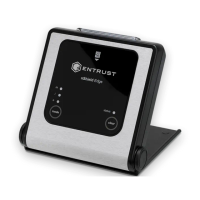
The card reader and its cable should be inspected for signs of tamper.
See Tamper inspection for procedural control guidance required to maintain and manage
tamper evident security controls.
8.6. Tamper inspection
Inspections as described in Supply and Transportation. This may include removing the
HSM from cabinets to ensure that all surfaces are intact. Further guidance on inspection
frequency can be found in Physical inspection. Guidance on how to respond to a tamper
can be found in Security Incident and Response.
Ê
nShield® Security Manual 63 of 90


 To Next Page