18 Sigma DS4 and DS4-ES1 Instant Issuance System
Sigma DS4 and DS4-ES1 Instant Issuance System
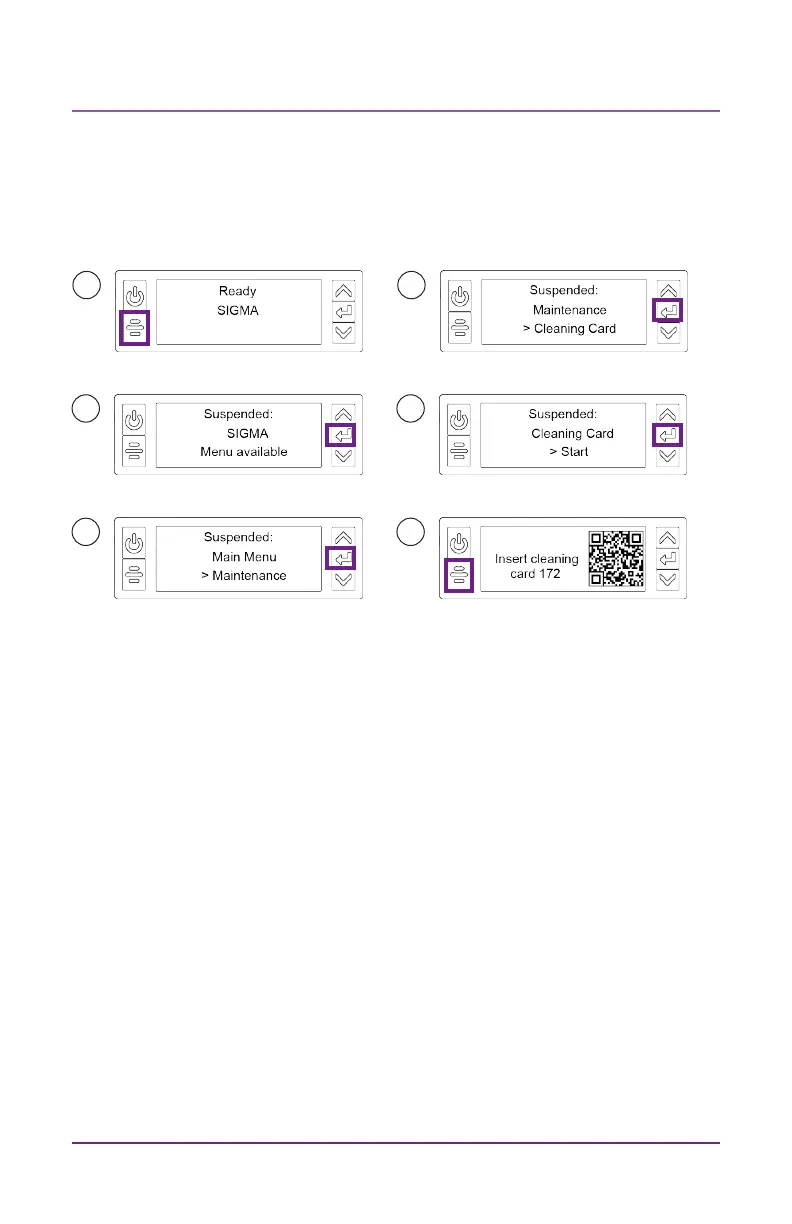
Run the Cleaning Card
Use the LCD menu system to start the cleaning cycle.
1
2
3
4
5
6
Printers without locks: Remove the cleaning card from the output hop-
per and discard it.
Printers with locks: The cleaning card can remain in the printer reject
tray unl the tray is emped.
Replace the print ribbon cartridge or the cassee in the printer, and the
cards in the input hopper.



 To Next Page
 Loading...





