6 Sigma DS4 and DS4-ES1 Instant Issuance System
Sigma DS4 and DS4-ES1 Instant Issuance System
Load Cards in a Multi-Hopper Printer
1
2
3
6
4
5
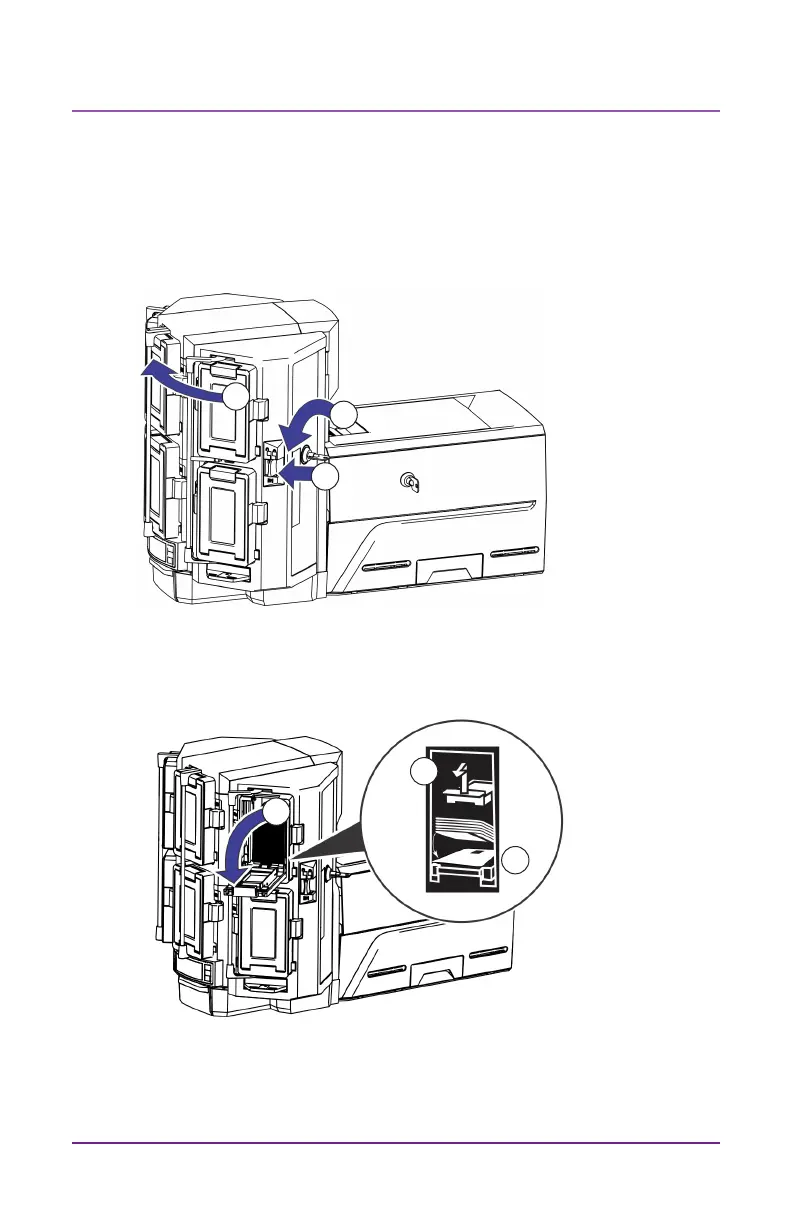
1. Unlock the mul-hopper lock
2. Slide the lock bar release buon (B1) to the le.
3. Rotate a lock bar to the le.
4. Open the cartridge door
5. Li the card weight and pull it forward unl it locks in posion.
6. Load cards into the cartridge.
7. Close the cartridge door.
8. Repeat for each cartridge.
9. Return all locks to the locked posion.



 To Next Page
 Loading...





