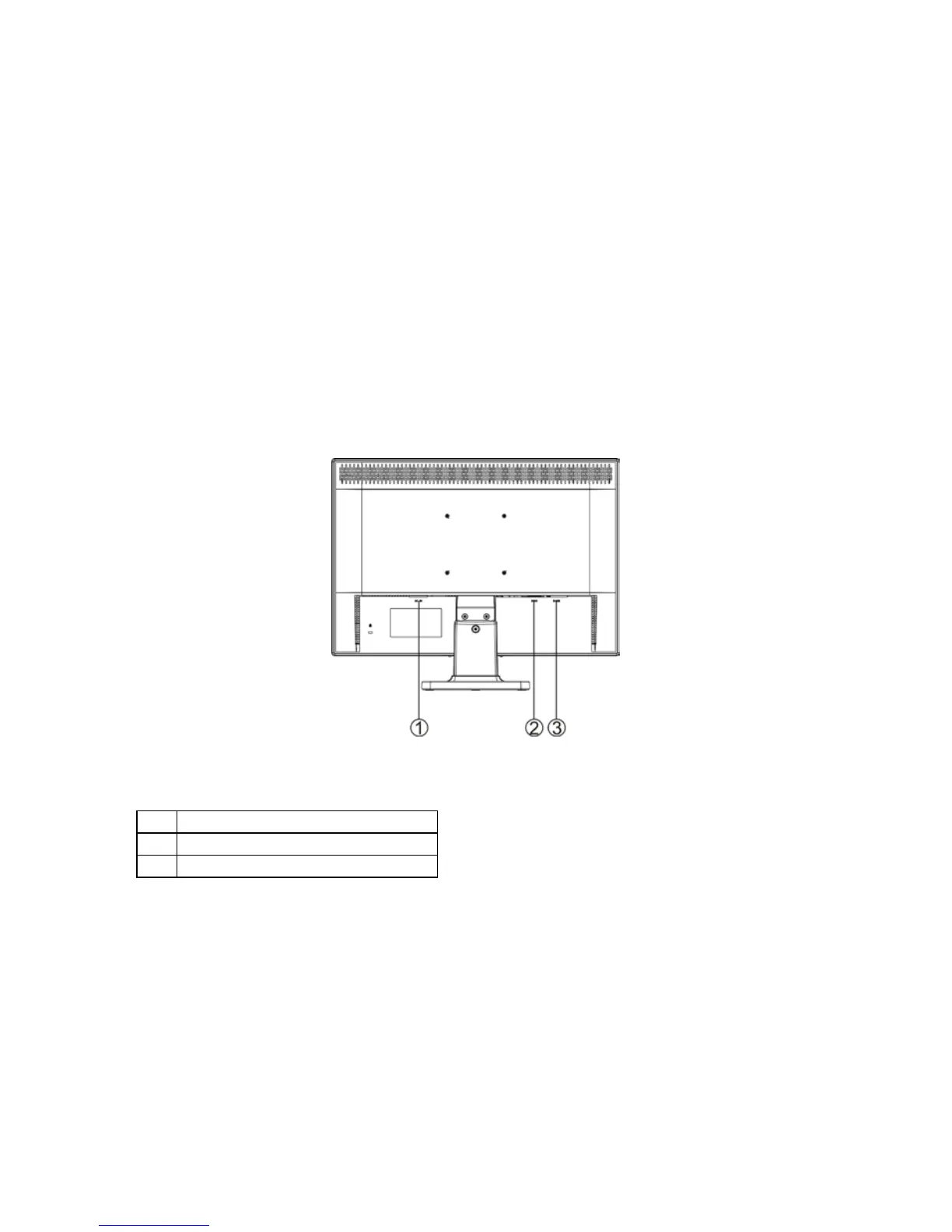
CONTROLS AND CONNECTORS
SIGNAL CABLE
Connecting the Signal Cable: Plug the Signal Cable one end to LCD monitor’s
“DSUB-Input” socket, the other end to the computer's VGA port and tighten the
two screws on the cable connector.
Connecting the Power Cord: Plug the AC-power cord into the External Adapter.
Then plug the DC-jack power cable into DC-IN Inlet.
Connecting the DVI Cable: Connect one end of the 24-pin DVI cable to the
back of the monitor and connect the other end to the computer’s DVI port.
Caution: If the AC outlet is not grounded (with three holes), install the proper
grounding adapter (not supplied).
Figure 2 Connecting Cables


 To Next Page