18 15 16
19
17
20
11
8
9
12
10
13
14
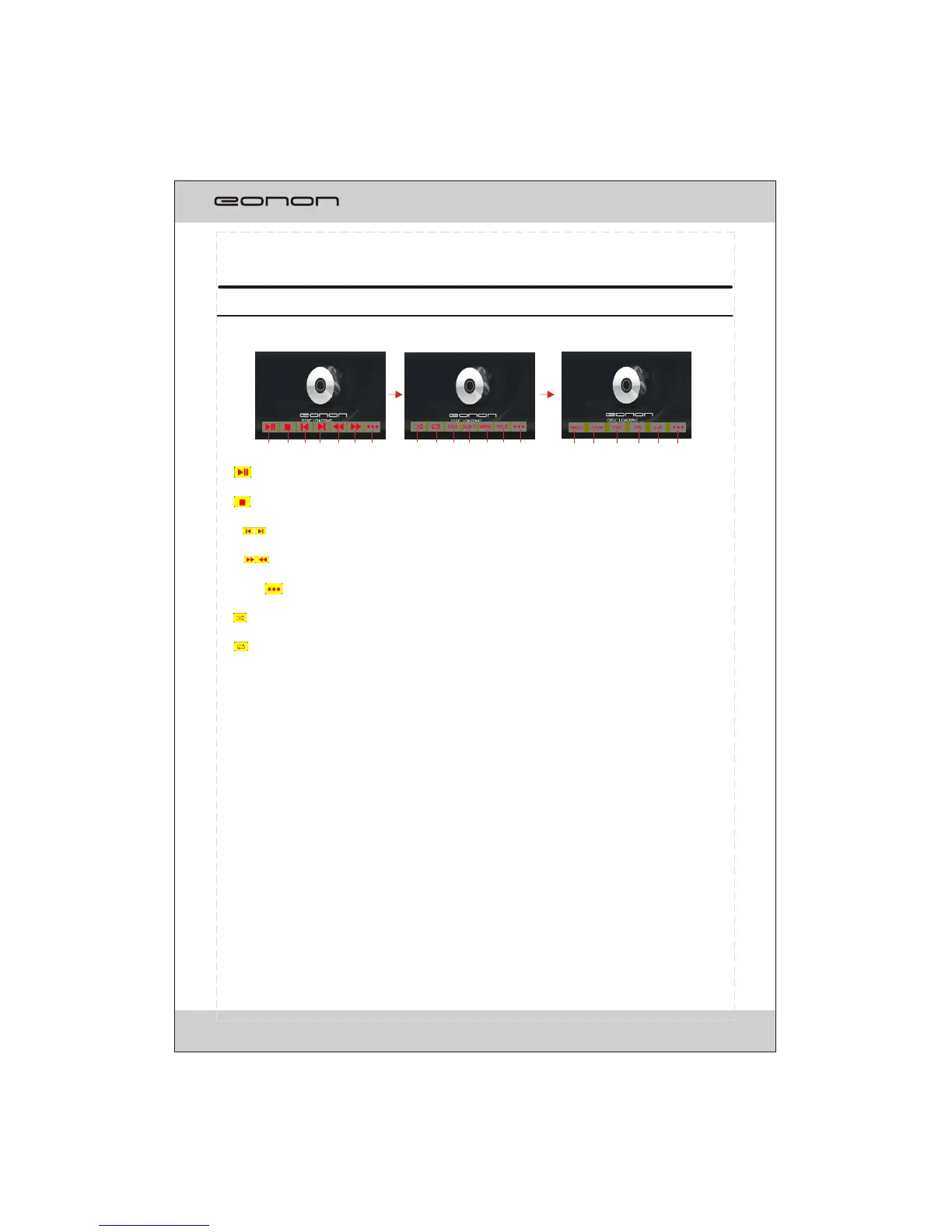
In DVD/VCD mode, the touch screen displays as following after tapping at random position.
MULTI-- PLAYER OPERATION
8
1.
To start/pause the playback.
2.
To stop playing, touch twice to stop
To select previous/next chapter or track.
5/6.
To play in fast rewind or fast forwards mode.
7/14/20.
To select more items.
8.
To play in random order.
9.
To select one of the repeat modes.
10.OSD
T
11.SUB-T.
To select the subtitle type if the DVD supports.
12.
DVD supports.
DVD supports.
completely.
3/4.
o select title elapsed, title remain, chapter elapsed, chapter remain, display off.
MENU
To display the DVD SETUP screen.
13.TITLE
To display the title menu.
15.ANGLE
To change the DVD viewing angle if the
16. ZOOM
To change the DVD viewing scale if the
17.PBC
To display the PBC menu in VCD mode.
18.P/N
T
19.A-B
To play the selected A-B section.
o select PAL , AUTO or NTSC system
NOTE: Touch the left middle position twice to display the TITLE MENU selection screen, touch the
right middle position twice to display the ROOT MENU selection screen, touching the right top
position to display the number keyboard.
You can select chapter(track) by press the touchable screen or the RC.
4
1 2
5
3
6
7
Fig.1 Fig.2 Fig.3
MENU SYSTEM



 To Next Page