MP3 OPERATION
Playing a disc, an SD/MMC card or a USB device containing files
button to open the front panel, insert a disc into the
disc slot or SD/MMC card into the card slot. The unit will automatically switch on when
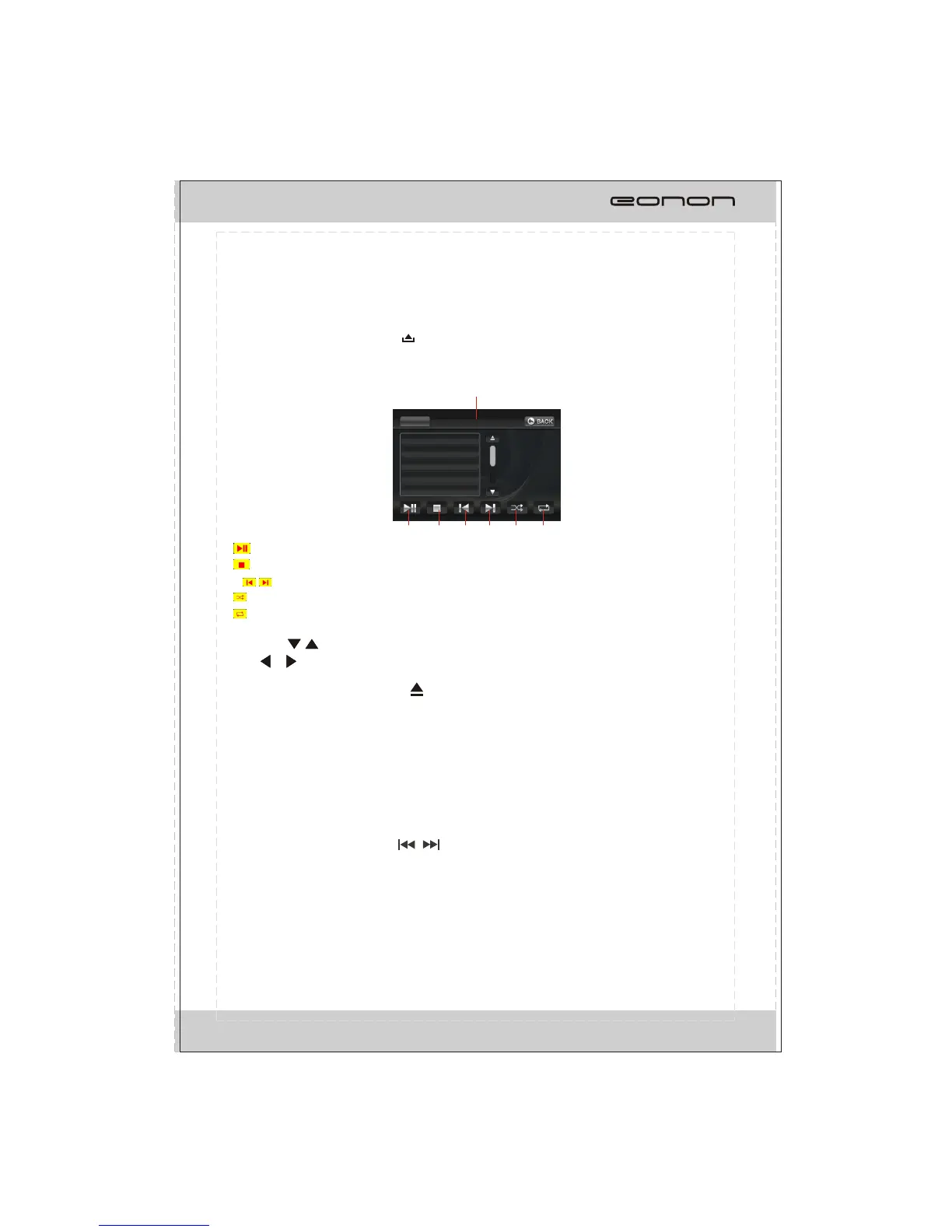
a disc, card or USB device is inserted. The screen will display as follow:
1. :
2. :
3-4. :
5. :
6. :
T
MP3
completely.
Repeat playing
When playing MP3 files, press the RPT button repeatedly on the remote control to select
repeat mode: REPEAT ONE, OFF. While in REPEAT ONE mode, it will play one track
repeatedly. The defaulted mode is REPEAT ALL mode, the unit will play all tracks repeatedly.
Track selection
-Skip track backward/forward
When playing MP3 files, press / button on the remote control
to go to the previous or next track.
Connect a USB device or press
To start/pause the playback.
To stop playing, touch twice to stop
To select previous/next chapter or track.
To play in random order.
To select one of the repeat modes.
ouch the / button on the screen to turn pages.
*Press / button on the remote control when stop playback also performs the same
function.
*You can eject a disc by pressing button on the unit.
or press NEXT/PREV
button on the touchable screen
Touch this area to display number keyboard.
33
01 LA LUNE
01IN PARADISUM
02 NO ONE LIKE
02 WINTER IN J
03 SCARBOUGH
MP3
02:47 03:40
001/099
4
1 2
5
3
6



 To Next Page