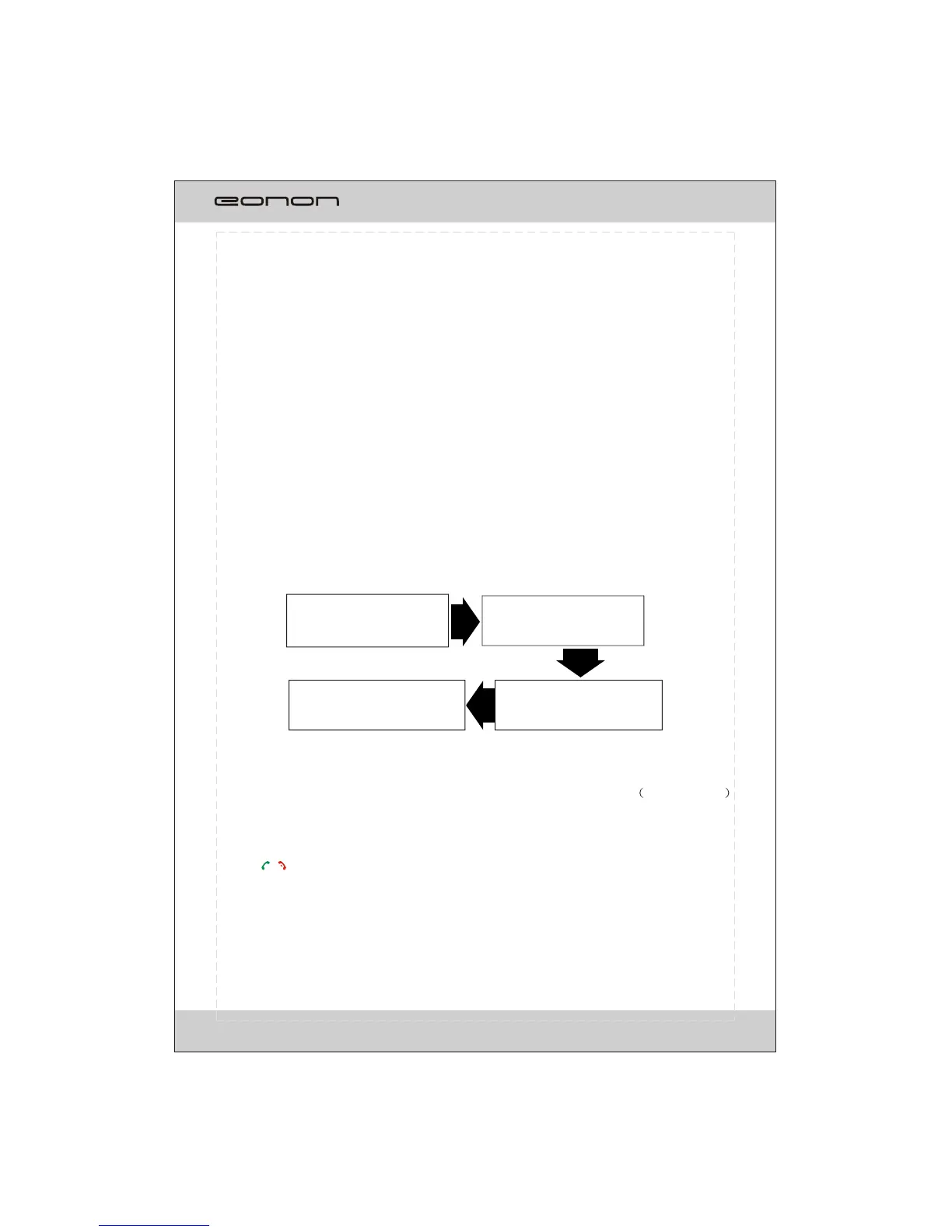
Selecting B T mode
Selectting bluetooth device
(EONON) by mobile phone.
Input a pass code:1234
Searching for device
(EONON) by using mobile
phone.
The connection is successful.
The TFT displays CONNECT.
BLUETOOTH OPERATION
20
HANDS-FREE PHONE
The unit is compatible with Bluetooth international standard wireless communication
technology. You can place a hands-free call by using a Bluetooth compatible with the
mobile phone.
*When you place a call, speak loudly and clearly.
*Shut the windows before calling.
*It is normal that some unnatural voice may be heard during your calling which may be
caused by the conditions of the signals or the one who uses the mobile phone.
*Due to some special mobile phone, you may not be able to use a hands-free phone.
CONNECTING
,
*The Bluetooth setting is required for a mobile phone. Read the Owner s Manual of
the mobile phone.
*After paired ,the unit can connect with the mobile phone automatically. in valid range
* If the mobile phone and the device are disconnected accidentally, the screen will display
Disconnect, just press LINK button on the screen to reconnect(refer to Bluetooth setup ).
*Press / button on the remote control also performs dial(receiving) a call or hang up a
call function
*The incoming call will interrupt the sound output through other source, and switch to the
hands-free phone screen automatically when it is received. After the call is ended, the unit
will be back to the previous mode.
* The hands-free phone sounds output through the built-in speakers. When calling, press
Audio Transfer button on the screen to switch the mode to receive a call by using mobile
phone, and press it again to return to hands-free mode.
Select the BLUETOOTH mode
To select the BLUETOOTH mode, the users can make it done by the following ways:
1. Press on SRC/NAV button on the front panel to switch to BLUETOOTH mode;
2.
3. Tap on the BLUETOOTH ICON at the MAIN MENU on the screen.
Press on SRC button on the remote control to switch to BLUETOOTH mode;
NOTE



 To Next Page