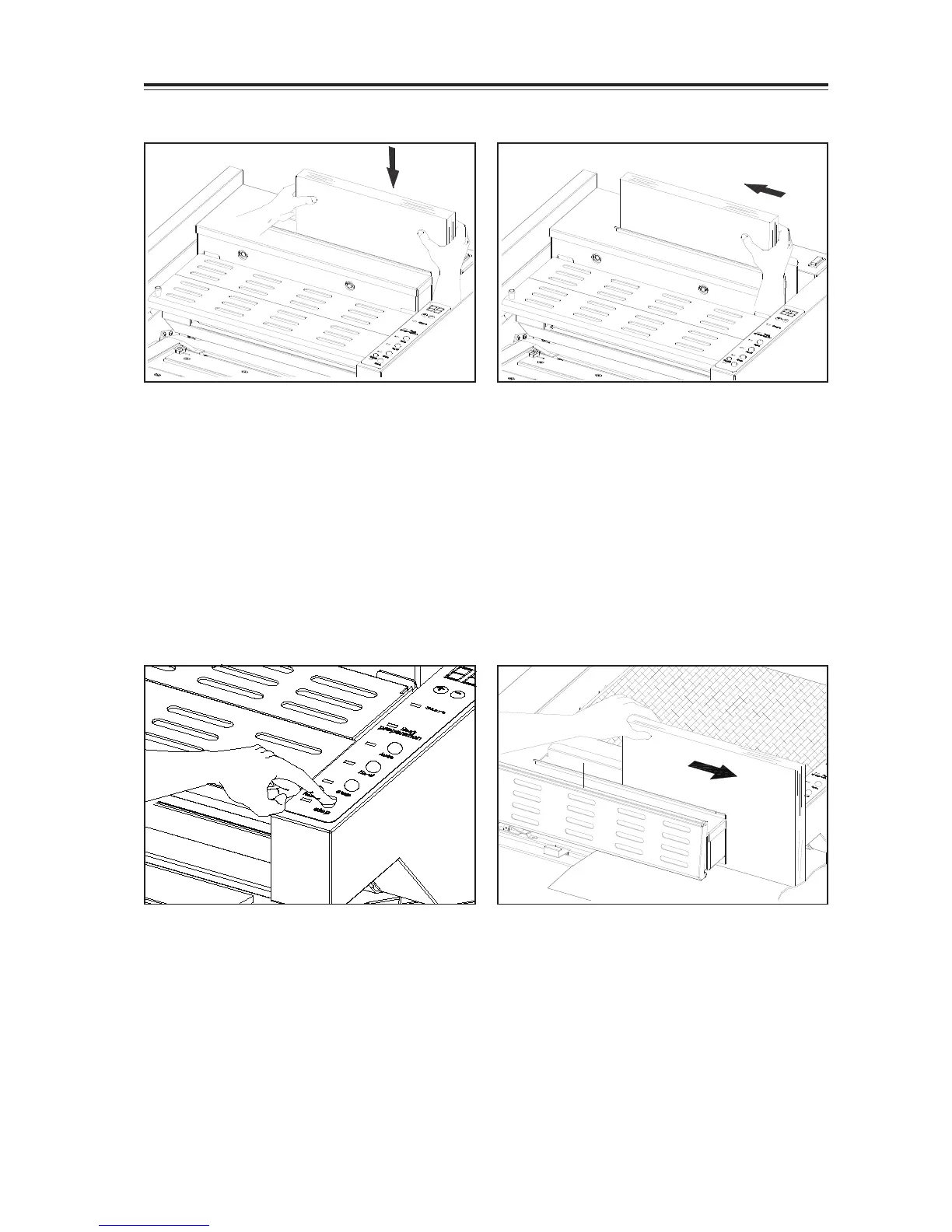
4-3-5 Place Book into the clamper
- Please book in the right hand side of clamper.
-True up book in spine fully in the right hand
side of the clamper.
-The clamper auto sense the thickness of
sheets and close.
4-3-6 Push book to the left and bind
- Set left hand side edge of book against left
side of the clamper.
- Depress Step Button to close the clamper.
[Warning]
1. Do not put your hand in the clamper.
2. Depress Stop Button can stop the
binding process.
4-3-6 Binding
- Depress Step Button, the clamper start to
move forward
- Clamper travels over the Roughing Cutter,
then forward and backward the melt tank
twice. The glue will be applied on sheets spine,
waiting for nipping.
-- Sheets applied glue at spine is nipped with
cover.
--The clamper automatically release the book
within the nipping time


 To Next Page