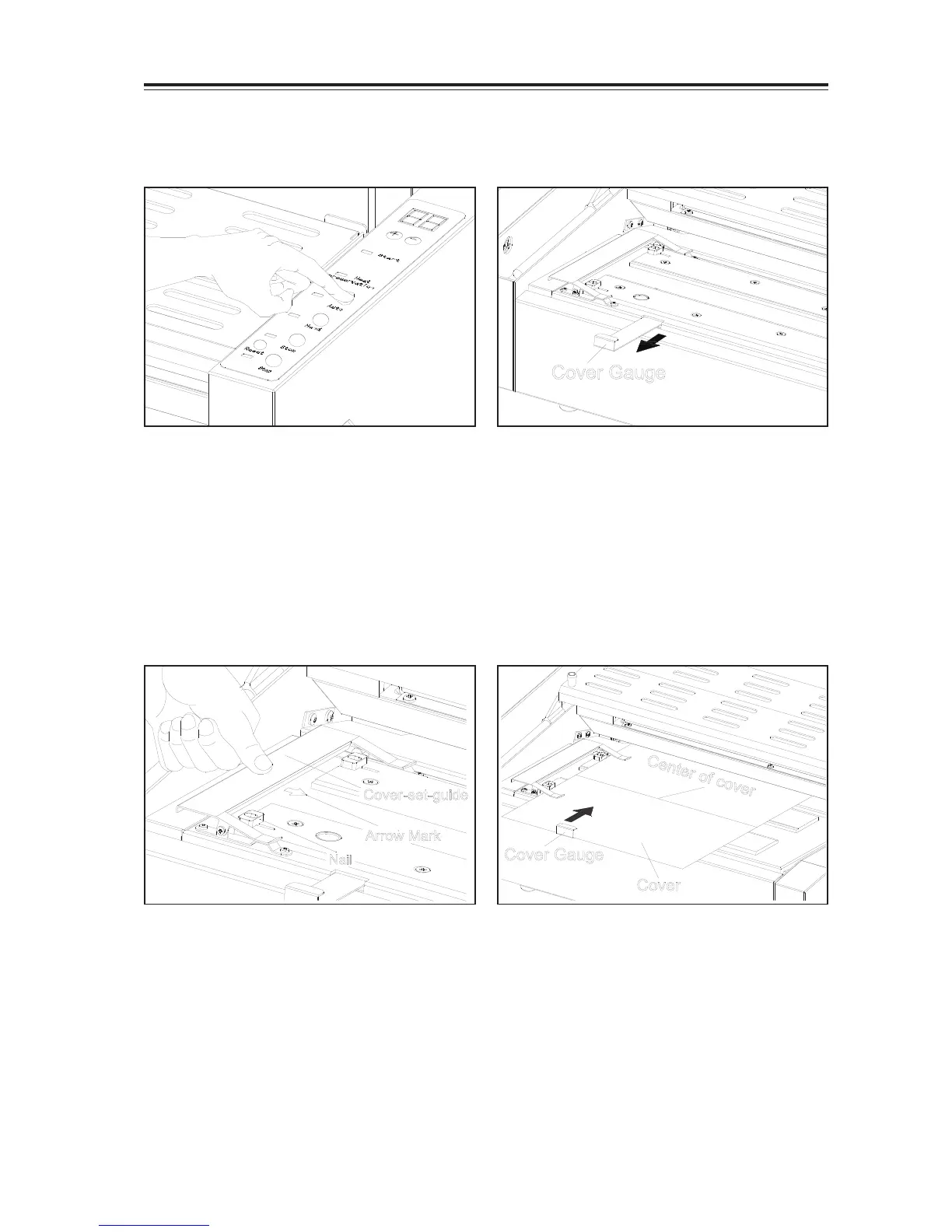
4-3-1 Choose Manual Mode
- Depress Hand Button when you want to use
Manual Mode. Hand Lamp turns on.
[NOTE]
Manual mode is used for beginners or
testing purpose.
4-3-2 Choose Manual Mode
Cover Gauge
Cover-set-guide
Nail
Arrow Mark
4-3-3 Place the cover
- Place cover on the nipper.
- Depress the cover-set-guide at indicated
position.
- Insert cover, make sure cover touch two nails
- Align the centre of cover to arrow mark.
- Fix the cover with cover-set-guide.
4-3-4 Align the cover gauge to cover
- Set the cover gauge so that it slightly touches
the edge of cove.
Cover Gauge


 To Next Page