10
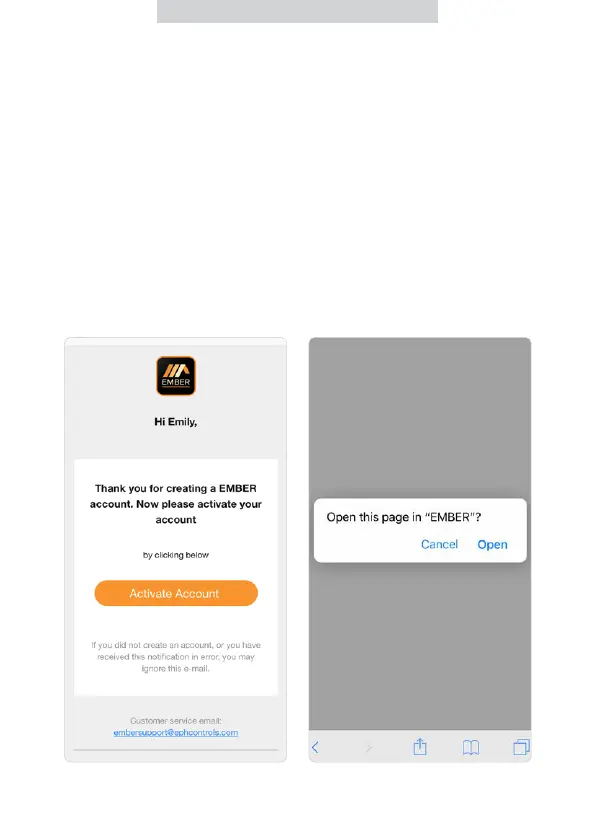
14. You will be directed to the EMBER
App. Select ‘Open’ in EMBER. If
you are not automatically directed
to the App, manually open it and
complete step 15.
12. A conrmation email should
arrive in your inbox from EMBER.
This should take up to 2 minutes.
If you do not receive the email,
please search your Junk / Spam
email folder.
13. Open the email and press the
embedded button ‘Activate
Account’.
Downloading the
EMBER App (Continued)


 To Next Page