VIEWING LIVE VIDEO
The EPIC has the unique ability for you to view live video. There are several ways to actually
accomplish this, either through your PC, TV or EPIC Viewer (Coming Soon).
PC LIVE MODE
Power ON the EPIC, connect the camera to the PC by the supplied USB cable. The
camera will automatically enter PC Live mode to display live viewing on PC. The
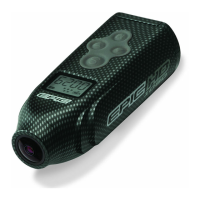
camera display will show PCC (as shown).
TV LIVE MODE
Power ON the EPIC, connect the camera to the TV via an AV cable (sold separately). The camera will
automatically enter TV Live mode to display live viewing on TV. The camera display will show TV-P or
TV-N depending on the user setting. (Default mode – NTSC)
NTSC - is the analog television encoding system used in most of the Americas.
PAL – is the analogue television encoding system used in large parts of the world outside the
Americas.
EPIC VIEWER – SOLD SEPERATELY
The new EPIC viewer will allow customers to both view live video or playback videos and images right
in the palm of your hand.
For more information on the EPIC Viewer, please visit our website at www.relivetherush.com.
PLAYBACK VIEWING MODE
The EPIC allows you to playback either the videos you’ve captured or the still images you’ve taken
and display them onto your TV or optional EPIC Viewer (Coming Soon).
1. Power OFF the EPIC, connect the camera to the TV via an AV Cable (sold separately). Then
power ON the camera to enter playback mode. The camera display will show TV-P or TV-N per
user setting.
2. Press UP or DOWN arrow to play back the captured still image. For video file, press (S) to start
playing the video. Press (S) again to stop playing.


 To Next Page